
10 Essential Features for Success
An effective business website helps customers understand what you offer, determine whether your products or services meet their needs, and take the next step with confidence. Key features include clear messaging, consistent branding, intuitive navigation, mobile-friendly design, fast loading, useful content, clear calls to action, credible business information, search engine optimization, and accessible usability. Security and reliable functionality support the entire experience.
Visual appeal matters, but it is only one part of an effective website. Visitors also need to find information, complete important tasks, and contact your business without unnecessary friction.
Whether you are launching a new website or improving an existing one, start with customer needs and measurable business objectives. Many improvements can be made without replacing the entire site.
What Makes a Business Website Effective?
An effective business website connects customer needs with business goals. It explains what a company does, whom it serves, why customers might choose it, and how visitors can take action.
For example, a local plumbing company needs visitors to understand its services, confirm its service area, find its phone number, and request an appointment. An online store needs clear product information, straightforward navigation, reliable checkout functionality, and accessible shipping and return policies.
Although these businesses have different requirements, both need a website that is easy to understand, dependable, and built around customer needs.
Four areas provide a practical framework for evaluating website effectiveness:
- Clarity: Can visitors understand your business and its value without searching through several pages?
- Usability: Can people find information and complete important tasks on desktop and mobile devices?
- Trust: Does the website provide accurate business information, credible evidence, and secure functionality?
- Performance: Can visitors access content quickly, use interactive features, and complete important actions reliably?
These areas work together. Confusing navigation can undermine an attractive design, while vague messaging can prevent a fast website from generating qualified inquiries. Design, content, technology, and measurement should therefore work as parts of one system.
For a technical foundation, consult Google’s SEO Starter Guide, which explains how to help search engines discover and understand website content.
10 Essential Features of a Successful Business Website
Use the following features to evaluate a new website or identify improvements to an existing one. The right implementation depends on your business model, audience, budget, and primary conversion goal rather than a one-size-fits-all design formula.
-
1
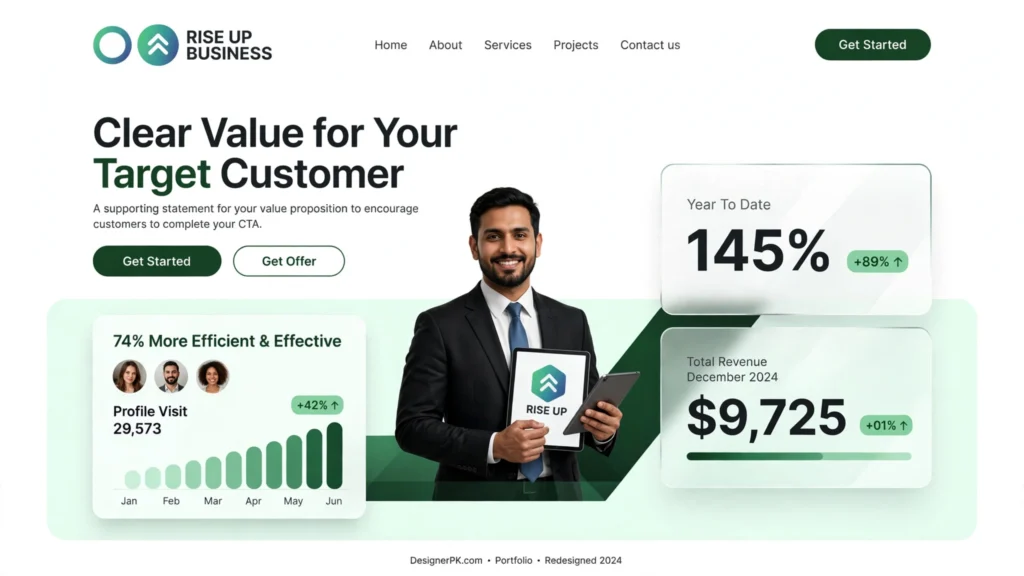
Clear Messaging and a Strong Value Proposition
Visitors should quickly understand what your business does, whom it helps, and what they can do next. Vague phrases such as “innovative solutions” or “excellence in every detail” may sound polished without explaining what you actually offer.
Place a specific headline, a short supporting explanation, and a relevant call to action near the top of your homepage. Lead with the customer’s problem or desired outcome rather than an abstract slogan.
Example: A bookkeeping firm might use the headline “Bookkeeping Services for Small Businesses,” followed by a sentence describing its monthly bookkeeping, financial reporting, and account reconciliation services.
Keep the message focused on customer needs. Explain practical benefits, describe your services accurately, and avoid promises you cannot substantiate.
-
2
Professional and Consistent Branding
A professional website presents a consistent identity across its pages. Your logo, colors, typography, photography, tone of voice, and layout should work together rather than feel like unrelated design decisions.
Consistency does not require an expensive custom design or elaborate animations. Prioritize readable fonts, a restrained color palette, clear spacing, relevant images, and consistent button styles before adding decorative effects.
Use genuine team, product, or workplace photographs when appropriate. If you need stock photography, choose images that accurately represent your business rather than creating a misleading impression.
Before investing in a complete redesign, check for inconsistent headings, crowded sections, outdated graphics, and conflicting colors. Correcting these issues may be enough to improve the site’s presentation.
-
3
Simple Navigation and a Logical Page Structure
Visitors should be able to find services, pricing information, contact details, and product categories without guessing where they are located. Clear navigation helps people move from an initial question to a relevant next step.
For many small businesses, a straightforward primary menu includes Home, About, Services, and Contact. Companies with multiple offerings may need separate service pages, while online stores typically require organized product categories and shopping functionality.
Use descriptive menu labels, group related information together, and prioritize the pages customers need most. Avoid overcrowding the main navigation with every available page.
On larger websites, relevant internal links and breadcrumbs help visitors understand where they are. Descriptive link text also gives users and search engines useful context about each destination.
Google’s SEO Starter Guide offers additional guidance on site structure and internal linking.
-
4
Mobile-Friendly and Responsive Design
A mobile-friendly website adapts to different screen sizes without forcing visitors to zoom, scroll horizontally, or struggle with small controls. Responsive design is particularly important when customers research services, compare products, or contact businesses on their phones.
Check whether headings wrap naturally, text remains readable, navigation works properly, and buttons have enough space to reduce accidental taps.
Pay particular attention to forms, product filters, booking interfaces, and checkout steps. A page that looks fine on a desktop monitor may have controls that are difficult to use on a phone.
Google primarily uses the mobile version of website content for indexing. Its mobile-first indexing guidance explains why important content should remain available to search engines on mobile devices.
Practical improvement: Open your most important pages on an actual phone and complete a real task, such as finding a service price or submitting a contact form. Note any confusing steps, layout problems, or broken controls.
-
5
Fast Loading Speed and Reliable Performance
Website speed affects how quickly visitors can access content and interact with a page. Large images, excessive scripts, unnecessary plugins, slow server responses, and poorly configured caching can all contribute to performance problems.
Measure key pages before making technical changes. The homepage, service pages, product listings, and checkout may have different bottlenecks, so a single test may not explain the performance of the entire website.
Google’s Core Web Vitals measure aspects of loading performance, responsiveness, and visual stability:
- Largest Contentful Paint (LCP): Measures how quickly the main content becomes visible. A good result is 2.5 seconds or less.
- Interaction to Next Paint (INP): Measures responsiveness to user interactions. A good result is 200 milliseconds or less.
- Cumulative Layout Shift (CLS): Measures unexpected visual movement. A good result is 0.1 or less.
These thresholds are evaluated at the 75th percentile of page visits, with mobile and desktop data considered separately where applicable. Results from a single laboratory test may differ from field data collected from real users.
Use Google PageSpeed Insights to review performance measurements and identify potential improvements. Common starting points include resizing and compressing images, removing unnecessary scripts, reviewing caching, and investigating slow server responses.
For WordPress websites, investigate plugin behavior, theme code, database queries, third-party integrations, and hosting configuration when the evidence points to a technical bottleneck. Adding optimization plugins without understanding the existing setup can introduce conflicts rather than solve the problem.
If testing identifies issues that require specialist investigation, our WordPress speed optimization service may be relevant.
Faster loading does not guarantee higher sales or better search rankings. However, resolving genuine performance problems can make a website easier to use and remove avoidable barriers to conversion.


-
6
Useful, Customer-Focused Content
Your website content should answer the questions customers ask before contacting your business or making a purchase. Explain your services, process, pricing approach where appropriate, limitations, and the problems you solve.
For example, a web development company can explain which types of websites it builds, how the development process works, what clients need to provide, and what ongoing maintenance involves. These details help prospective customers determine whether the service fits their needs.
Organize information with descriptive headings, short paragraphs, meaningful examples, and relevant visuals. Replace outdated service descriptions and generic claims with specific, verifiable information.
For educational content, prioritize accuracy and usefulness over keyword repetition. Google’s people-first content guidance provides a framework for creating pages that serve readers rather than simply targeting search terms.
Review important content periodically. Update information when services change, remove outdated instructions, and verify claims about capabilities, pricing, and policies.
-
7
Clear Calls to Action
A call to action (CTA) tells visitors what to do next. Depending on your business, that might mean requesting a quote, booking an appointment, calling a service provider, downloading a guide, or purchasing a product.
Match each CTA to the visitor’s likely intent. Someone comparing professional services may be ready to request a consultation, while someone reading an introductory guide may want to explore a related service first.
Use descriptive labels such as “Request a Website Quote,” “Book an Appointment,” or “Shop Products.” Avoid relying exclusively on vague labels such as “Click Here.”
Place the primary CTA where visitors can find it naturally, including near relevant service explanations and at the end of longer pages. Keep forms proportionate to the task and request only the information needed to respond.
Evaluate conversion performance using completed actions, not button clicks alone. A click provides useful diagnostic information, but it does not establish that someone submitted a lead form, booked an appointment, or purchased a product.
For complex websites, compare CTA wording or page layouts through controlled testing when traffic and measurement quality support meaningful conclusions. Change one major element at a time when you need to understand which adjustment influenced the outcome.
-
8
Trust Signals and Accurate Business Information
Visitors need credible reasons to trust your business before sharing personal information or spending money. Make it easy for them to verify who you are, what you offer, and how they can contact you.
Useful trust signals include:
- Accurate business name and contact information.
- An About page that describes the company and its work.
- Genuine customer testimonials published with appropriate permission.
- Relevant case studies with verifiable details and clear context.
- Transparent service terms, refund policies, or pricing information where applicable.
- Secure website connections and appropriate privacy disclosures.
- Clear explanations of the process, expected deliverables, and available support.
For local businesses, accurate contact details and business hours are particularly important. Keep published addresses, service areas, and phone numbers current.
Do not invent testimonials, client logos, awards, certifications, or performance results. If you do not yet have customer reviews, explain your process, present work you can substantiate, and set clear expectations.
Trust signals help visitors make informed decisions, but they cannot replace reliable service, accurate information, or dependable website functionality.
-
9
Search Engine Optimization
Business website SEO helps search engines discover and understand your content. Focus on technical accessibility, page relevance, content organization, internal links, and how well each important page serves a specific customer need.
Start with these practical steps:
- Give each important page a distinct, descriptive title.
- Use a clear heading hierarchy that accurately describes the content.
- Create dedicated pages for genuinely different services or customer needs.
- Write descriptive link text and connect related pages through relevant internal links.
- Use meaningful alternative text for informative images and empty alt attributes for purely decorative images.
- Check indexing, crawlability, canonical URLs, and XML sitemaps where appropriate.
- Review Google Search Console for search performance and indexing issues.
- Ensure important content remains accessible on mobile devices.
For a service business, a dedicated page explaining a specific service may be more useful than placing every offering in one long description. For an online store, organized product categories and informative product pages help customers navigate the catalog.
Review existing pages before publishing new ones. If two pages target essentially the same search intent, consider improving or consolidating them instead of creating unnecessary duplication.
SEO does not guarantee rankings, and an attractive design alone cannot secure search visibility. Results also depend on relevance, competition, content quality, technical accessibility, and other factors.
Consult the official Google SEO Starter Guide when reviewing your website’s search foundations.
-
10
Accessibility and Usability
An accessible website helps people with different abilities use its content and functionality. Good accessibility practices also benefit visitors using phones, keyboards, screen readers, magnification tools, or devices in challenging environments.
Review these practical accessibility considerations:
- Sufficient color contrast between text and backgrounds.
- Keyboard-accessible navigation, links, menus, and controls.
- Visible focus indicators for keyboard users.
- Meaningful labels and instructions for form fields.
- Useful alternative text for informative images.
- Clear error messages explaining how to correct a problem.
- Readable text and layouts that remain usable when visitors zoom in.
- Appropriate headings and semantic HTML that communicate page structure.
Do not communicate important information through color alone. For example, a form should identify required fields with text or another clear indicator rather than relying only on a red border.
Combine automated accessibility checks with manual testing. Automated tools can identify some contrast, labeling, and structural problems, but they cannot establish that every page and interaction is accessible.
The W3C Web Accessibility Initiative provides practical guidance for improving website accessibility.
Accessibility obligations vary by business, jurisdiction, and circumstances. If your website must meet specific legal or contractual requirements, arrange an appropriate accessibility assessment rather than assuming a visual redesign or automated scan establishes compliance.


Security and Reliable Website Functionality
A business website also needs dependable technical functionality. Broken links, failed contact forms, expired certificates, outdated software, and checkout errors can undermine an otherwise well-designed experience.

Protect the Website and Customer Information
Use HTTPS, keep the website platform and its components updated, enforce appropriate account permissions, and maintain reliable backups. For WordPress websites, remove unused plugins and themes when appropriate, use strong authentication practices, and follow a tested update process.
HTTPS protects data in transit between a browser and a website, but it does not make a site completely secure. Access controls, software maintenance, secure configuration, monitoring, and recovery planning remain important.
If your website collects customer information, review what you collect, how it is stored, which services process it, and what privacy disclosures are required. Avoid collecting unnecessary personal data.
The official WordPress security hardening guide offers practical guidance for reducing common risks.
Test Forms, Links, and Important User Journeys
Test your contact form from submission through delivery. Confirm that required fields work, error messages are understandable, confirmation messages appear correctly, and notifications reach the intended inbox. Consider spam protection and a backup process for important inquiries.
For e-commerce websites, test product selection, cart updates, checkout, payment confirmation, order emails, and relevant shipping or tax calculations. Use appropriate test environments for payment integrations and confirm that successful and failed transactions produce the expected results.
After updating WordPress, plugins, themes, or integrations, retest affected functionality. Even a seemingly minor change can interfere with a form, payment gateway, or front-end feature.
If a form or critical feature fails intermittently, investigate the cause rather than treating it as a cosmetic issue. Our website maintenance service may be relevant when updates, monitoring, and troubleshooting require professional support.
Which Pages Should a Business Website Include?
The right page structure depends on what customers need to know and what your business wants them to do. Start with essential pages and add specialized ones when they serve a distinct purpose.
Home
Explain what the business does, whom it serves, its main value proposition, and the most useful next action.
About
Introduce the company, its team or background, relevant experience, and the approach customers can expect.
Services or Products
Describe individual offerings, important features, suitable use cases, pricing details where appropriate, and next steps.
Contact
Provide accurate contact details, a usable form, relevant business hours, and service-area information where applicable.
Landing Pages
Create focused pages for distinct services, locations, campaigns, or audience needs when each provides meaningful information.
Policies and Supporting Pages
Add relevant privacy, terms, shipping, returns, FAQs, or other supporting information based on your business and legal needs.
Do not create pages simply to increase the page count or target nearly identical keywords. Each page should serve a clear purpose and help visitors make an informed decision.
If you are planning a new website or restructuring an existing one, our custom website development service may be relevant when the information architecture, design, or functionality requires more extensive work.
How to Improve an Existing Website Without a Complete Redesign
A full redesign is not always necessary. Start by identifying the biggest customer-facing problems, then prioritize improvements based on evidence, cost, risk, and business value.
Before making changes, document the website’s current performance. Record relevant conversion data, test important user journeys, and identify technical issues that affect customers. This baseline helps you assess whether an improvement solves the problem.
-
1
Fix Broken or Critical Functionality
Check contact forms, phone links, booking tools, checkout, navigation, and important integrations. Resolve failures that prevent customers from completing essential tasks before spending time on cosmetic improvements.
For WordPress websites, investigate recent plugin or theme updates, form delivery, server error logs, and integration settings when a feature stops working. Reproduce the issue before changing code or disabling components.
-
2
Improve the Highest-Value Pages
Review the homepage, key service pages, and pages that generate inquiries or sales. Clarify headlines, strengthen service descriptions, and make the next action easier to identify.
Use analytics, search performance data, and customer questions to decide which pages deserve attention first. A page that attracts qualified visitors or supports a purchase may deserve priority over one with little business relevance.
-
3
Measure and Address Performance Problems
Run relevant performance tests, inspect image sizes, review scripts, and investigate slow server responses. Use diagnostic evidence to identify likely causes instead of applying every optimization technique at once.
On WordPress websites, consider plugins, themes, caching, hosting, and third-party services when investigating performance problems. Avoid adding optimization plugins without understanding the existing configuration.
If persistent slowness requires specialist investigation, our WordPress speed optimization service may be relevant.
-
4
Review Mobile Usability and Accessibility
Test important tasks on a phone and with a keyboard. Correct crowded layouts, unclear labels, difficult forms, poor contrast, and inaccessible controls.
Test the entire task, not just the first screen. For example, a booking form should remain usable from the first field through validation, submission, and confirmation.
-
5
Improve Measurement and Iterate
Configure appropriate conversion tracking, establish a baseline, and monitor results after meaningful changes. Keep improvements that work and investigate unexpected regressions.
Distinguish completed outcomes from intermediate interactions. A click on a contact button is not the same as a qualified inquiry reaching your business.
For WordPress websites, back up the site before significant changes and use a staging environment to test updates when feasible. If persistent technical issues remain, professional speed optimization or maintenance and troubleshooting may be more appropriate than repeatedly applying untested fixes.
How to Measure Website Effectiveness
Evaluate website effectiveness against outcomes that reflect your business goals. Traffic alone cannot tell you whether visitors find the right information or complete valuable actions.
Choose a small set of meaningful metrics and review them alongside customer feedback and technical reliability. The most useful measurements depend on whether your website generates leads, sells products, supports existing customers, or publishes informational content.
Traffic and Search Visibility
Use Google Analytics 4 to understand relevant traffic patterns and Google Search Console to review search queries, clicks, indexing, and organic search performance.
Compare trends over appropriate periods and investigate whether changes relate to search visibility, marketing campaigns, seasonality, or tracking changes.
Conversions and Leads
Track completed forms, qualified inquiries, purchases, or bookings. Define conversions carefully and avoid counting repeated or unsuccessful interactions as completed outcomes.
Where possible, distinguish total inquiries from qualified leads and completed sales to reflect actual business value.
Performance and Reliability
Use PageSpeed Insights and available real-user data to investigate Core Web Vitals. Test critical forms and transactions to identify functional failures.
Review performance measurements alongside conversion data to determine whether technical problems coincide with difficulties completing important tasks.
User Feedback
Review customer questions, support requests, usability observations, and feedback from people who have attempted important tasks.
Repeated questions about pricing, service scope, shipping, or contact details may indicate that relevant information is missing or difficult to find.
Choose Metrics That Match Your Business Model
| Business model | Useful measurements | What to investigate |
|---|---|---|
| Local service business | Qualified inquiries, calls, and completed bookings | Contact details, service areas, form delivery, and booking friction |
| E-commerce store | Completed purchases, revenue, and checkout errors | Product information, cart behavior, payment failures, and shipping costs |
| B2B service company | Qualified leads, consultation requests, and lead quality | Service clarity, credibility, pricing expectations, and lead forms |
| Content-focused website | Relevant organic traffic and meaningful engagement | Search intent, content usefulness, internal links, and reader navigation |
Compare results over appropriate periods, accounting for changes in traffic sources, campaigns, seasonality, and tracking configuration. A change in conversion rate does not, by itself, prove that a design change caused it.
For measurement guidance, consult Google Analytics event measurement documentation, Google Search Console, and Google PageSpeed Insights.
Business Website Evaluation Checklist
Use this checklist to identify improvements to your current website. Test each item rather than judging it by appearance alone.
- My homepage clearly explains what the business offers and whom it serves.
- My branding, typography, colors, and visual elements are consistent.
- Visitors can find important pages through clear, logical navigation.
- The website works properly on mobile phones, tablets, and desktop screens.
- Important pages have been tested for loading speed and Core Web Vitals.
- My content answers common customer questions and accurately describes my services.
- Primary calls to action are clear, relevant, and easy to use.
- Contact information, testimonials, business details, and policies are accurate.
- Important pages have descriptive titles, useful headings, and relevant internal links.
- Forms, menus, buttons, and other interactive features work correctly.
- Keyboard navigation, form labels, readable text, and color contrast have been reviewed.
- HTTPS, software updates, access controls, and backups are appropriately managed.
- Analytics and conversion tracking measure meaningful business outcomes.
- I review website performance and customer feedback regularly.
How I Recommend Prioritizing Improvements
First, resolve critical failures. Fix problems that prevent customers from contacting your business, purchasing products, booking appointments, or accessing important information.
Next, remove usability and performance barriers. Address confusing navigation, difficult forms, mobile layout problems, slow pages, and inaccessible controls that interfere with important tasks.
Then, strengthen content and search visibility. Clarify service descriptions, improve internal links, resolve indexing issues, and ensure each important page serves a distinct customer need.
Finally, measure and refine. Review relevant business outcomes after making changes and investigate unexpected results before adjusting other elements.
This approach directs time and budget toward real customer problems instead of redesigning elements simply because they look outdated.
Frequently Asked Questions
What makes a business website effective?
An effective business website communicates a clear value proposition, provides useful information, works across devices, loads reliably, builds trust, and makes important actions easy to complete. Evaluate its effectiveness against business goals such as qualified leads, sales, bookings, and successful customer interactions.
What should a small-business website include?
Most small-business websites need a homepage, About page, service or product pages, and Contact page. Depending on the business, they may also need dedicated landing pages, customer testimonials, FAQs, privacy information, booking tools, or e-commerce functionality. Choose pages based on customer needs rather than an arbitrary page count.
Does website speed affect business results?
Slow loading and delayed interactions can make a website harder to use. Improving performance can remove unnecessary friction, but faster loading alone does not guarantee more leads, sales, or higher search rankings. Measure performance alongside user behavior and business outcomes.
How can I improve my website without redesigning it?
Start by fixing broken functionality, clarifying important page content, improving mobile usability, optimizing oversized images, reviewing navigation, and strengthening calls to action. Use analytics, performance tests, and customer feedback to prioritize changes. A redesign may be appropriate when the existing structure or functionality cannot reasonably support your business needs.
How do I know if my business website is successful?
Define success using goals relevant to your business, such as qualified inquiries, completed purchases, appointment bookings, organic search visibility, or successful task completion. Review conversion tracking, Google Search Console, performance data, and customer feedback rather than relying on website traffic alone.
When should I hire a professional website developer?
Professional help may be appropriate when your website needs custom functionality, a complex redesign, persistent performance troubleshooting, e-commerce improvements, security remediation, or integrations beyond your team’s capabilities. Consider the project scope, risks, budget, and expected business value before hiring a developer.
What Makes a Business Website Effective? Focus on What Customers Need
An effective business website combines clear messaging, consistent design, intuitive navigation, mobile usability, reliable performance, helpful content, credible information, search visibility, accessibility, and dependable functionality. No single theme, animation, or visual trend can replace these fundamentals.
Start with customer needs and business objectives. Identify where visitors struggle, fix problems that prevent them from taking action, and use measurable evidence to guide further improvements.
A complete redesign is not always necessary. A clearer service page, a faster-loading homepage, a more usable contact form, or a properly functioning checkout may be a more appropriate starting point.
Want a Website That Supports Your Business Goals?
Evaluate your current website against the checklist in this guide and identify the improvements that matter most. If you need help with website design, WordPress development, performance optimization, or technical troubleshooting, professional support can help you determine the next steps.
Explore our website development services to discuss your site’s structure, functionality, usability, and improvement priorities.
Explore Website Development Services




One Response