Custom vs. Template Website: Which Should Small Businesses Choose?
A custom website is built around your brand, functionality, and specific business needs. A template-based website starts with an existing theme or layout that you customize. For businesses with conventional website requirements, a suitable template is often the more practical choice. Custom development makes sense when existing themes, plugins, and integrations cannot adequately support essential features or customer journeys.
The decision comes down to three factors: what your website needs to accomplish, how much flexibility you require, and what you can invest in development and ongoing support. A third option is a hybrid website, which uses an established foundation and adds custom functionality only where it provides meaningful value.
For businesses planning a new website or redesign, our custom website development service can be a starting point for evaluating the right approach. The goal is to choose a solution that meets your requirements without introducing unnecessary cost or complexity.
What Is the Difference Between a Custom Website and a Template-Based Website?
Custom Website Development
A custom website is designed and developed around a business’s brand, audience, and functional requirements. Depending on the scope, it may include original page layouts, a custom WordPress theme, specialized forms, customer portals, or integrations with business software.
Custom development does not mean building everything from scratch. Developers can use WordPress, WooCommerce, established frameworks, and maintained libraries while tailoring the implementation to the project.
Consider a distributor that needs customer-specific pricing synchronized with its inventory system. If existing extensions cannot handle the pricing rules and data exchange reliably, a custom integration may be the more appropriate solution.
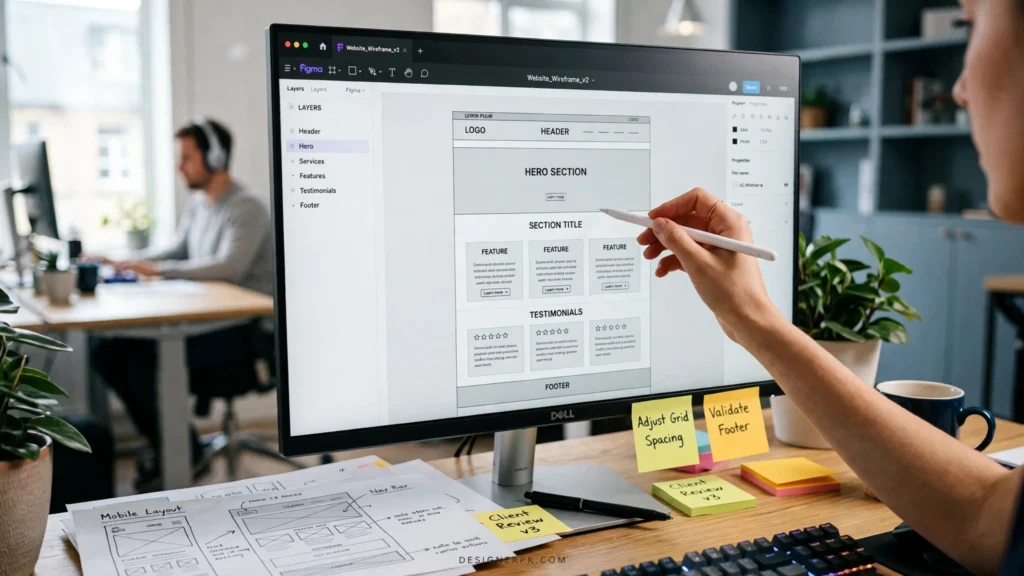
Best fit: Businesses that need specialized workflows, complex integrations, or customer experiences that established tools cannot adequately support.
Explore our custom web design and development services if your project requires a tailored solution rather than a standard site configuration.
Template-Based Website Development
A template-based website starts with an existing theme, starter site, or predefined layout. You adapt its colors, typography, imagery, navigation, and content to reflect your brand.
In WordPress, this foundation might be a classic theme, a block theme, a starter design, or a theme used with a page builder. The available customization options depend on the theme and the tools used to build the site.
WordPress explains how themes control a website’s presentation in its official theme documentation.
A template is not inherently generic or unprofessional. A suitable theme, clear messaging, consistent branding, and thoughtful customization can produce an effective business website without the expense of bespoke development.
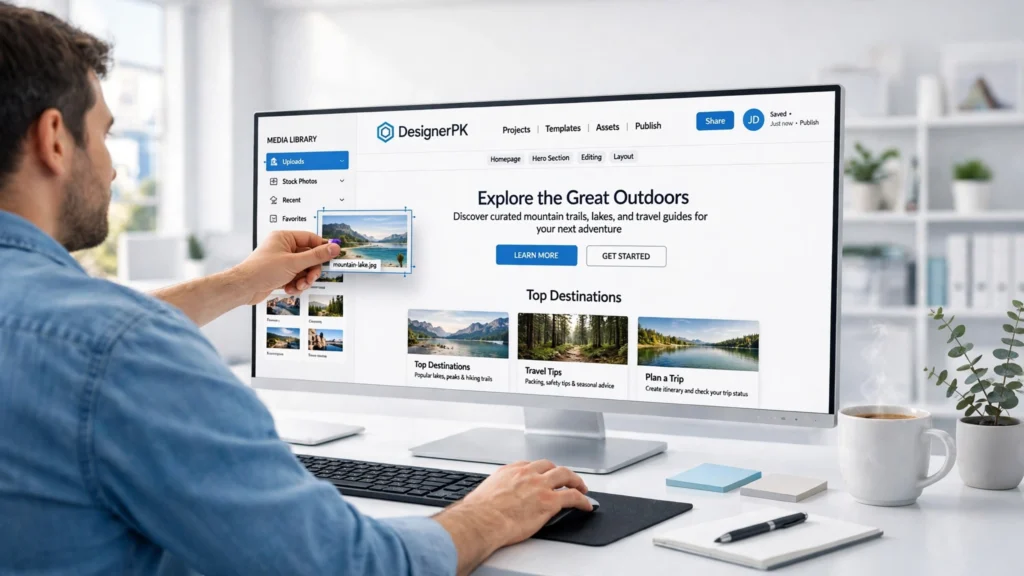
Best fit: Small businesses, consultants, startups, and organizations that need conventional pages, lead-generation forms, portfolios, blogs, or standard e-commerce functionality.
For projects built on WordPress, our WordPress development service is relevant when you need a content-managed website or an existing theme adapted to your requirements.
The Hybrid Option: A Customized WordPress Theme
A hybrid website combines an established theme or framework with selected custom features. Standard content layouts and familiar editing tools remain in place, while specialized requirements receive additional development.
For example, a service business could use an established theme for its main pages while adding a custom booking workflow or an integration with its customer management system.
This approach avoids rebuilding components that already work. It also gives the business room to address genuine limitations without committing to a fully bespoke implementation.
Best fit: Businesses whose existing tools meet most of their needs but fall short in a few important areas.
Custom Website vs. Template-Based Website: Comparison
The table below compares the two approaches across the factors that typically influence a website investment.
| Factor | Custom Website | Template-Based Website |
|---|---|---|
| Initial investment | Often higher because design and engineering may require more work. | Often lower when an existing theme meets most requirements. |
| Time to launch | May require more discovery, design, development, and testing. | Often quicker when the theme fits and content is ready. |
| Design flexibility | Layouts and interactions can be tailored to defined requirements. | Depends on the theme, editor, page builder, and additional customization. |
| Specialized features | Can accommodate bespoke workflows and integrations. | Uses built-in features, compatible plugins, or additional custom code. |
| SEO | Provides technical control when implemented correctly. | Can support effective technical SEO when configured correctly. |
| Performance | Can be tailored to required functionality but still needs optimization. | Can perform well with suitable hosting, assets, and extensions. |
| Maintenance | Custom components need documentation, testing, and appropriate support. | Requires platform, theme, plugin, and compatibility updates. |
| Future changes | Depend on architecture, code quality, documentation, and ownership. | Depend on theme flexibility, licenses, and platform dependencies. |
The key distinction: Custom development provides greater control, not automatic superiority. A well-built template-based website can be more economical and easier to maintain than a custom solution that introduces unnecessary complexity.
When comparing proposals, focus on the requirements each solution satisfies, the compromises it introduces, and the work needed to maintain it. The label “custom” or “template-based” alone tells you very little about the quality of the finished website.
Advantages and Limitations of Each Approach
Custom Website Development
Advantages
- Layouts and interactions can reflect your brand and customer journey.
- Specialized features can be designed around actual business processes.
- Integrations can be tailored to the systems your business uses.
- Architecture can be planned around defined technical requirements.
Limitations
- Upfront costs are often higher.
- Discovery, engineering, and testing can extend the timeline.
- Custom components need documentation and qualified support.
- Poorly planned architecture can create technical debt and make future changes harder.
Template-Based Website Development
Advantages
- Often more affordable for conventional website requirements.
- Can launch quickly when the design and content are ready.
- Established editing tools can simplify routine content updates.
- Suitable for service pages, blogs, portfolios, and standard online stores.
Limitations
- Some layouts and interactions may be difficult to change.
- Advanced features may require additional plugins, licenses, or custom code.
- Theme-specific functionality can complicate future redesigns.
- Excessive add-ons can increase compatibility and maintenance risks.
Before committing to a theme, review its documentation, update history, support arrangements, accessibility, mobile behavior, and compatibility with essential plugins. Test it with realistic content and actual user journeys rather than relying solely on the demonstration site.
For an online store, the WooCommerce guide to choosing a theme provides a useful starting point for evaluating design and functionality against your store’s needs.
Practical takeaway: Start with the simplest option that meets your requirements. Add custom development when a specific limitation affects usability, business operations, or a critical customer journey.
How Much Do Custom and Template-Based Websites Cost?
The cost difference depends on the scope of the project, not just the development approach. A basic business website, a lead-generation site, and a WooCommerce store with custom integrations require different levels of planning, design, development, and testing.
When comparing proposals, look beyond the headline price. Check whether each quote includes:
- Requirements gathering, site architecture, and page planning.
- Design, responsive layouts, and content migration.
- Theme configuration or custom development.
- Forms, integrations, and e-commerce functionality.
- Technical SEO setup, analytics, and performance testing.
- Accessibility checks, quality assurance, and launch support.
- Documentation, training, and post-launch assistance.
Account for recurring expenses, too. Hosting, premium plugins, software subscriptions, security services, and ongoing support can affect the total cost of ownership. A template reduces initial design and development work only when it already meets the project’s needs; configuration, content preparation, and testing are still necessary.
Which Approach Launches Faster?
A template-based website often has a shorter path to launch when its layouts and features fit the project. Custom development may require additional discovery, design reviews, engineering, and testing.
Either approach can face delays if content arrives late, requirements change, third-party integrations need additional work, or stakeholders take longer than expected to approve decisions. Ask your developer for a schedule that identifies milestones, dependencies, review periods, and launch responsibilities.
How Should You Compare Long-Term Value?
Evaluate the expected cost of operating and changing the website over its useful life. Include software renewals, updates, compatibility fixes, new features, staff training, and eventual redesign or migration.
A suitable theme may remain economical for years. A heavily modified theme that depends on numerous workarounds can become expensive to maintain. Custom development may justify its higher initial cost when it solves a recurring operational problem or supports a function that existing tools cannot handle reliably.
Focus your budget on confirmed requirements and credible growth plans. You can leave room for future enhancements without paying upfront for features that have no clear purpose.
Which Website Approach Is Best for Your Business?
The right choice depends on the work your website needs to perform. These common scenarios can help narrow the options.
Small Businesses and Local Service Providers
Contractors, consultants, salons, and other local businesses often need service pages, location information, contact forms, testimonials, and clear calls to action. A suitable theme is usually a sensible starting point when it supports these features without major workarounds.
Consider custom development when your business needs a specialized booking process, customer portal, or integration that existing tools cannot adequately support.
Startups and New Businesses
A startup validating a business idea may benefit from launching a straightforward website before investing in bespoke functionality. This allows the team to focus resources on validating its offer and understanding customer needs.
Custom development becomes more relevant when the website is part of the product itself, such as a platform with user accounts, personalized dashboards, or complex access permissions.
Growing Companies
As a business expands its services, content, or operations, its existing theme and plugins may no longer cover every requirement. A hybrid approach can preserve standard page layouts while adding custom integrations or customer journeys where necessary.
Before rebuilding the entire website, identify which limitations affect daily operations and which can be resolved through configuration or a targeted enhancement.
WooCommerce and Online Stores
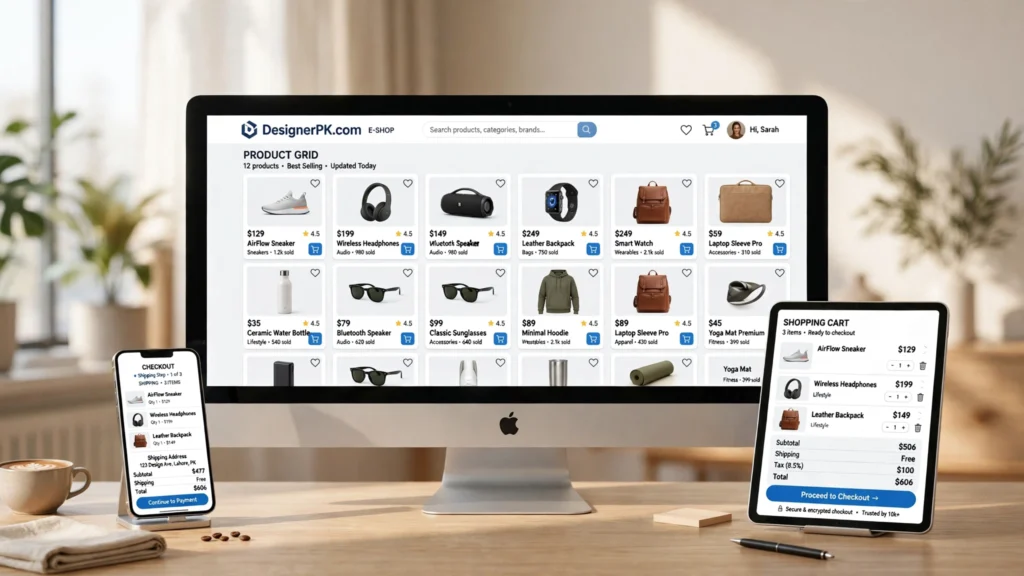
A compatible theme can work well for stores with conventional product pages, categories, shipping rules, and checkout requirements. Custom development may be justified for customer-specific pricing, complex product configuration, or integrations with inventory and business systems.
Test the complete shopping journey, including product variations, cart behavior, checkout, payment processing, order confirmation, and customer accounts. Compatibility with your required WooCommerce extensions matters as much as the storefront design.
Our WordPress and e-commerce website development service is relevant when you need a new online store or a WooCommerce implementation tailored to your operations.
The official WooCommerce theme guide can help you assess theme suitability before committing to a design.
Decision rule: If an existing theme handles your essential pages and customer journeys reliably, start there. If a specific limitation creates operational friction or prevents an important function, assess whether a targeted customization or a more extensive custom build offers better value.
SEO, Performance, and Security: Does Custom Development Make a Difference?
SEO: Neither Approach Guarantees Better Rankings
A custom website gives developers greater control over page structure, rendering, internal linking, and technical implementation. A template-based website can support effective SEO, too, provided its theme and supporting tools are configured correctly.
Neither approach guarantees better rankings. Search visibility depends on factors such as content relevance, usefulness, crawlability, site structure, and technical accessibility. Before investing in a redesign, identify the SEO problems you need to solve rather than assuming a custom build will improve rankings.
Google’s page experience guidance explains how user experience relates to Google Search. For either development approach, review indexability, page titles, metadata, canonical URLs, redirects, internal links, mobile usability, and content quality.

Performance: Measure Before Rebuilding
Custom code can reduce unnecessary functionality, but it does not automatically produce a fast website. Inefficient database queries, oversized scripts, unoptimized images, and poorly implemented components can undermine performance. A template can also perform well when its features, assets, and supporting plugins are managed carefully.
Use Google PageSpeed Insights to examine individual URLs. The tool provides laboratory diagnostics and real-user performance data when sufficient field data is available. Google Search Console also offers a Core Web Vitals report for eligible properties and pages.
Google uses three Core Web Vitals to evaluate loading performance, responsiveness, and visual stability:
- Largest Contentful Paint (LCP): 2.5 seconds or less for a good loading experience.
- Interaction to Next Paint (INP): Less than 200 milliseconds for good responsiveness.
- Cumulative Layout Shift (CLS): 0.1 or less for good visual stability.
These thresholds are assessed at the 75th percentile of page visits, with mobile and desktop evaluated separately. A single laboratory test cannot establish how every visitor experiences a website. Consult Google’s Core Web Vitals documentation for measurement details.
If an existing WordPress site is slow, investigate the underlying causes before planning a rebuild. Hosting limitations, image sizes, caching, plugin behavior, database activity, and front-end assets are all worth examining. The appropriate fix depends on the evidence gathered during testing.
Our website speed optimization service is relevant when performance problems require technical diagnosis and remediation. The objective is to address the actual bottlenecks rather than replace a website without establishing whether a rebuild is necessary.
Security: The Entire Implementation Matters
A website’s security depends on more than its design. WordPress core, plugins, custom code, hosting configuration, user permissions, backups, and update practices all contribute to its security posture.
Use actively maintained components, restrict administrative access, enable appropriate authentication, maintain recoverable backups, and test important updates. Custom code should be documented and reviewed, while third-party dependencies need ongoing attention to security and compatibility issues.
Neither a custom build nor a template removes the need for routine security work. A smaller implementation can reduce unnecessary dependencies, but every component that remains must still be maintained appropriately.
For recurring updates, troubleshooting, and website upkeep, explore our website maintenance service.
Website Ownership, Maintenance, and Developer Dependence
Your website should remain a business asset you can access and manage if you change developers or service providers. Before approving a project, clarify who controls the domain, hosting account, administrator accounts, source code, design files, and third-party subscriptions.
Use these questions to evaluate the ownership and support arrangements:
- Who controls the domain, hosting, and administrator accounts?
- What rights do you receive to custom code, designs, and other deliverables?
- Which components require recurring licenses or subscriptions?
- Can another qualified developer maintain the website?
- Are integrations, custom code, and deployment procedures documented?
- How are backups restored and tested?
- What post-launch support is included, and what costs extra?
A custom website can become difficult to maintain if its code is poorly documented or depends on proprietary components. A template-based site can create similar problems when essential functionality is tied to a particular theme, page builder, or subscription.
For WooCommerce, avoid editing parent-theme files directly when changes need to survive theme updates. Depending on the requirement, built-in settings, suitable plugins, hooks, or a child theme may provide a more maintainable solution. The WooCommerce customization guide explains relevant approaches.
Maintenance responsibilities should be agreed upon before launch. Establish who handles updates, backups, compatibility checks, incident response, and future enhancements so these tasks do not become unexpected operational burdens.
How to Choose the Right Website Development Approach
Before selecting a theme or commissioning a custom build, work through these steps to identify what your business actually needs.
-
1
Define the Business Outcome
Decide whether the website needs to generate leads, sell products, publish content, support customers, or handle an operational process. Identify the actions visitors must be able to complete.
-
2
List Essential Features
Document required integrations, permissions, booking rules, product options, content types, and reporting needs. Separate launch requirements from optional enhancements.
-
3
Set the Budget and Deadline
Include design, development, content, hosting, software licenses, testing, and ongoing support. Account for stakeholder approvals and third-party dependencies when setting the schedule.
-
4
Test Suitable Themes and Tools
Use realistic content to test navigation, forms, mobile layouts, accessibility, and important customer journeys. A demonstration site may not reflect how the theme performs with your actual content and plugins.
-
5
Identify Genuine Technical Limitations
If an existing tool cannot support a critical requirement, compare the cost, reliability, and maintenance implications of extending it with those of custom development.
-
6
Compare Proposals and Support Plans
Review deliverables, architecture, third-party dependencies, testing, ownership, documentation, and post-launch responsibilities. Confirm which services and future changes are excluded from the quote.
-
7
Plan for Realistic Future Needs
Choose an approach that can accommodate credible growth without paying upfront for elaborate features that have no defined business purpose.
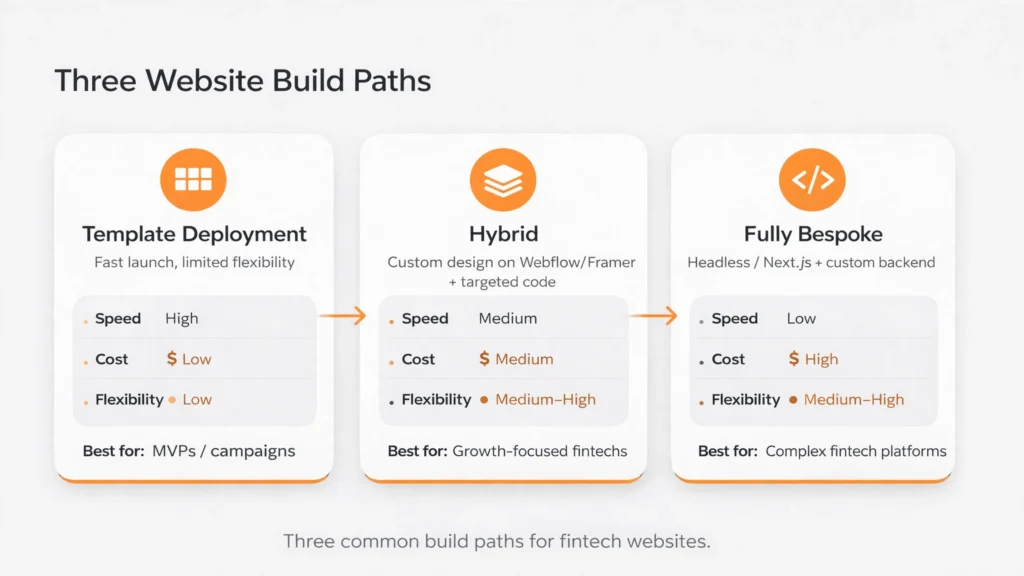
My decision rule: Start with a template when it meets your requirements with minimal compromises. Choose custom development when specialized functionality or technical constraints justify the additional investment. Consider a hybrid approach when an established foundation covers most needs but selected features require additional work.
If you need help assessing these options, our custom website design and development service is a relevant starting point for discussing your project’s scope and priorities.
Frequently Asked Questions
Is a custom website more expensive than a template-based website?
Custom development often costs more upfront because it may require additional design, engineering, and testing. The difference depends on functionality, integrations, content, and project scope. Compare total ownership costs rather than the initial quote alone.
Can a template-based website be customized?
Yes. Many themes support customization through built-in settings, block editors, page builders, plugins, and custom code. Some changes can be difficult or costly, so evaluate the theme’s capabilities and limitations before committing.
Is a custom website better for SEO?
Not automatically. Custom development offers greater technical control, but search performance also depends on content relevance, crawlability, site structure, and other factors. A well-configured template can support effective SEO.
Which type of website is faster?
Neither approach is inherently faster. Performance depends on implementation, hosting, images, scripts, caching, database activity, and other technical factors. Measure the website’s performance instead of assuming its development approach determines speed.
Should a small business use WordPress or custom development?
These are not mutually exclusive choices. WordPress can use an existing theme, a customized theme, or a custom-built theme. Choose the simplest implementation that meets your design, functional, budget, and maintenance requirements.
Is a template-based website suitable for WooCommerce?
Yes, provided the theme is compatible with your store’s requirements. Test product pages, variations, cart behavior, checkout, payment processing, customer accounts, and essential extensions before launch. Consult the WooCommerce theme selection guide when evaluating compatibility.
Custom Website vs. Template-Based Website: Which Should You Choose?
The right choice depends on what your business needs the website to accomplish. A template-based website can provide a professional, economical foundation for conventional requirements. Custom development becomes worthwhile when specialized functionality, integrations, or greater technical control solves a meaningful business problem.
For many WordPress projects, a hybrid approach offers a practical balance: use established components for standard features and invest in custom work where it adds measurable operational or customer value.
Before committing, compare essential features, total project costs, maintenance responsibilities, ownership arrangements, and realistic growth plans. A clear assessment helps you avoid unnecessary complexity while leaving room for future improvements.
Need Help Choosing the Right Website Solution?
Compare your business goals, essential features, budget, and support requirements before deciding between a template and a custom build. Our team can help you evaluate the practical options for a new website or redesign.
Discuss Your Website Requirements
If your project needs a content-managed website or online store, explore our WordPress and e-commerce development services.