What to Do Before You Rebuild Your Website
Rebuilding a website without a clear plan can create problems that affect your search visibility, business operations, and customer experience. Important pages may disappear, contact forms may stop working, existing URLs may break, and website performance may become worse instead of better.

Before I recommend a complete website rebuild, I first look at what the existing website already does well, which problems need attention, and whether the current platform can support the business’s future requirements. A redesign should solve identifiable problems rather than simply replace an outdated appearance.
Whether you operate a small business website, a WordPress site, or a WooCommerce store, this website redesign checklist will help you prepare for the project. I’ll cover business goals, website audits, content, technical SEO, performance, backups, development requirements, testing, and launch preparation.
Website Redesign Checklist: What Should You Do Before Rebuilding?
Before rebuilding your website, document your business goals, audit the existing website, identify technical and usability problems, protect valuable content and URLs, and establish clear requirements for the new website.
I recommend completing the following preparation tasks before development begins:
- Define business objectives and measurable success criteria.
- Review website analytics, traffic sources, and conversion data.
- Identify navigation, usability, and mobile experience problems.
- Audit existing pages, blog posts, product pages, and landing pages.
- Review organic search performance, backlinks, and important URLs.
- Create complete backups of website files and databases.
- Prepare a URL migration and redirect plan.
- Evaluate page speed, Core Web Vitals, and accessibility.
- Document required features, integrations, and functionality.
- Choose an appropriate CMS, theme, or custom development approach.
- Establish the project budget, timeline, and responsibilities.
- Build and review the redesigned website in a staging environment.
- Test forms, navigation, internal links, checkout, and tracking.
- Prepare a launch, recovery, and post-launch monitoring plan.
These tasks establish a practical foundation for the redesign. They also help prevent avoidable development costs, migration problems, and functionality issues after launch.
My recommendation: Complete the website audit and migration planning before approving the final design. Decisions made during preparation are generally easier to manage than problems discovered after the new website goes live.
What Is a Website Redesign?
A website redesign is the process of improving an existing website’s visual presentation, content structure, user experience, functionality, or technical architecture to better support business requirements.
The scope can range from updating the homepage and navigation to replacing the theme, restructuring the content, rebuilding custom functionality, or migrating the entire website to another platform.
For example, a small business might need clearer service pages, more effective contact forms, and a mobile-friendly layout. A WooCommerce store might require improved product navigation, a more practical checkout experience, and reliable connections with payment, shipping, or inventory systems.
I treat these as different development requirements rather than assuming every outdated website needs the same solution.
Website Redesign vs. Website Refresh vs. Technical Fixes
Before planning a complete redesign, identify whether the problem is visual, structural, or technical. The distinction matters because a targeted improvement may solve the issue without requiring an expensive rebuild.
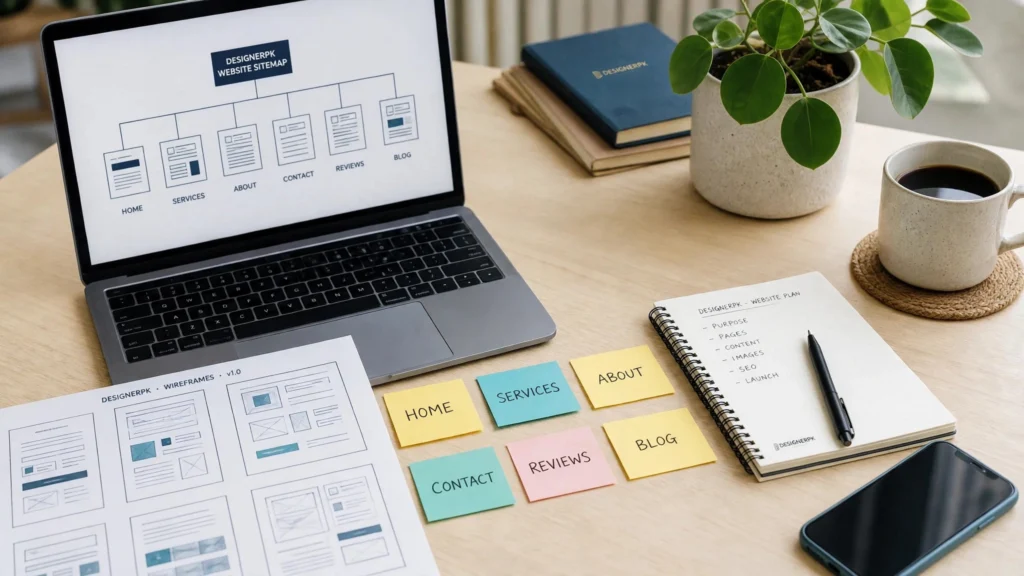
| Approach | When I Recommend It | Typical Work |
|---|---|---|
| Website refresh | The existing structure and functionality are still suitable. | Typography, colors, images, visual styling, and minor layout changes. |
| Targeted improvements | Specific pages or customer journeys need improvement. | Landing page updates, navigation improvements, mobile adjustments, and conversion-focused changes. |
| Technical troubleshooting | The website has errors, compatibility issues, or performance problems. | Bug fixing, plugin conflicts, broken functionality, database investigation, and server configuration. |
| Full website redesign | The existing design, structure, or functionality no longer meets business requirements. | New layouts, responsive design, content restructuring, and functionality improvements. |
| Complete rebuild | The current platform or architecture cannot reasonably support future requirements. | Platform migration, new architecture, custom development, database planning, and integrations. |
For WordPress websites, an outdated theme or plugin conflict does not automatically justify replacing the entire website. I would first investigate compatibility, custom code, database behavior, and the underlying cause of the problem.
If the issue is isolated, WordPress and website bug fixing may be a more practical solution than rebuilding the website.
The same applies to slow websites. A performance audit may reveal problems with hosting, caching, oversized images, scripts, or plugins that can be addressed through website speed optimization.
My recommendation: Diagnose the existing website before choosing a development approach. A successful redesign is not necessarily the largest project; it is the solution that addresses the actual business and technical problems.
What Should You Evaluate Before Replacing Your Existing Website?
I recommend reviewing five areas before deciding whether a full rebuild is necessary:
- Business suitability: Does the website communicate your current services, products, and business priorities?
- User experience: Can visitors find information and complete important actions without unnecessary difficulty?
- Technical condition: Can the current platform be maintained, secured, and updated reliably?
- Search visibility: Does the website contain valuable pages, organic traffic, and backlinks that need protection?
- Future requirements: Can the existing architecture support planned features, integrations, and business growth?
If the existing platform meets most requirements, targeted improvements may be sufficient. If several areas require substantial changes, a full redesign or rebuild may be easier to maintain over the long term.
When Should You Choose a Full Website Redesign?
I consider a full redesign when multiple problems are connected and cannot be addressed effectively through isolated updates. The following situations can indicate that a larger project is justified.
Outdated Business Website
Your website no longer represents your current business, explains your services clearly, or provides visitors with an effective way to contact your team.
What I would prioritize: Homepage structure, service page organization, branding consistency, and lead generation functionality.
Poor Mobile Experience
Menus, forms, content layouts, and important interactive elements are difficult to use on smartphones, and the existing design needs substantial restructuring.
What I would prioritize: Responsive layouts, readable content, touch-friendly controls, and simplified navigation.
Outdated Website Technology
The existing theme, plugins, CMS, or architecture creates limitations that affect maintenance, security updates, integrations, or future functionality.
What I would prioritize: Platform evaluation, technical architecture, compatibility, and long-term maintenance requirements.
E-commerce Limitations
Your online store needs better product discovery, improved checkout functionality, more reliable integrations, or a different approach to managing products and orders.
What I would prioritize: Product structure, shopping cart behavior, checkout, payment processing, and order management.
A full rebuild may also be appropriate when the existing website requires increasingly complicated workarounds to support normal business operations.
However, I would document the technical limitations, expected improvements, migration requirements, and ongoing maintenance implications before approving the project.
For a business that mainly needs a better visual presentation and clearer service information, a complete platform migration may introduce unnecessary complexity. The scope should match the actual problem.
Step-by-Step Website Redesign Checklist: What to Do Before Development
Before starting website development, I recommend auditing the existing website and documenting everything the new version needs to accomplish. These preparation steps help business owners make informed decisions, protect existing website value, and reduce avoidable redesign problems.
-
1
Define Business Goals and Success Metrics
Start by identifying why your business needs a redesign. Avoid vague objectives such as making the website look more modern. Define the specific business problems you want to solve.
For example, a service business may want more qualified inquiries, while an e-commerce store may need a simpler purchasing experience. These objectives require different design, development, and measurement decisions.
Document measurable goals such as:
- Increase qualified contact form submissions.
- Make important service information easier to find.
- Improve product discovery and checkout usability.
- Improve mobile navigation and accessibility.
- Reduce technical errors and improve loading performance.
- Make important customer journeys easier to complete.
Record the current website’s performance before development. Depending on your business model, this may include form submissions, qualified leads, completed purchases, organic landing page traffic, and important user journeys.
I also recommend distinguishing between business outcomes and technical deliverables. For example, launching a redesigned homepage is a project deliverable, while making it easier for potential customers to request a consultation is a business objective.
This distinction helps your development team make decisions based on measurable requirements rather than personal design preferences.
-
2
Review the Existing Website’s Overall Performance
Audit the current website before deciding what needs to change. Review important pages, navigation, functionality, mobile layouts, loading behavior, and technical errors.
I recommend using a combination of website analytics, search performance reports, browser testing, and technical inspection rather than relying on a single audit tool.
Useful resources include:
- Google Analytics 4 for visitor behavior and conversion measurement.
- Google Search Console for search visibility, indexing, and website search performance.
- Google PageSpeed Insights for performance diagnostics.
- Browser developer tools for investigating console errors, network requests, and layout problems.
Document problems such as:
- Broken pages and outdated information.
- Slow-loading page templates.
- Missing or incorrectly displayed images.
- Inconsistent layouts and navigation.
- Contact forms that fail to submit or deliver notifications.
- Plugin conflicts and JavaScript errors.
- Unexpected server responses and website downtime.
For WordPress websites, I would also review theme dependencies, plugin compatibility, PHP configuration, database behavior, and hosting limitations where relevant.
Separate cosmetic problems from technical issues. This prevents a redesign from becoming an expensive replacement for problems that could have been fixed directly.
-
3
Identify User Experience and Navigation Problems
Review the website from the perspective of a first-time visitor. Check whether users can quickly understand what your business offers, who it serves, and how to take the next step.
Pay particular attention to:
- Confusing navigation menus and page hierarchy.
- Unclear service descriptions or product information.
- Missing or difficult-to-find contact information.
- Overcrowded page layouts and inconsistent typography.
- Unclear calls to action.
- Complicated checkout, booking, or registration processes.
- Important information hidden behind unnecessary interactions.
For example, a business website should make its primary services, value proposition, and contact options easy to understand. An online store should make product categories, filters, shipping information, and checkout accessible.
I recommend reviewing customer feedback, sales inquiries, support requests, and common questions before finalizing the new navigation structure.
Where possible, test important user journeys with people who are unfamiliar with the existing website. Their observations can reveal navigation problems that internal teams have become accustomed to.
Also document the most important actions visitors should complete on each page. This helps keep the redesigned layouts focused on user needs rather than decorative elements.
-
4
Audit Existing Content and Important Landing Pages
Do not automatically remove existing content when rebuilding a website. Some pages may already attract search traffic, generate inquiries, support product discovery, or answer important customer questions.
Review service pages, product pages, category pages, blog articles, location pages, landing pages, and frequently visited resources.
I recommend classifying each page into one of four groups:
- Keep: Relevant pages that already provide useful information and support business goals.
- Improve: Pages that need better content, structure, formatting, or calls to action.
- Merge: Similar pages that can be consolidated without losing important information or search intent.
- Remove: Outdated or unnecessary pages with no continuing purpose after reviewing their traffic, backlinks, and business value.
For each important page, document its existing URL, title, primary topic, content purpose, internal links, and relevant search performance.
Preserve useful page titles, headings, metadata, images, and internal links where appropriate. Rewrite content when the existing information no longer reflects your business or customer requirements.
For an e-commerce website, review product descriptions, category content, product images, product attributes, and important buying guides before deciding what should be migrated.
Pay attention to content that supports customer decisions even when it does not generate substantial organic traffic. A product comparison page or technical resource may still help visitors complete a purchase.
My recommendation is to make content decisions individually rather than deleting entire sections simply because the new design uses a different layout.
-
5
Review Website Analytics and Conversion Data
Use existing analytics data to understand how visitors interact with your website. A redesign should address actual user behavior rather than relying entirely on personal design preferences.
Review the following information where tracking is available:
- Organic, direct, referral, and paid traffic sources.
- Landing pages that attract visitors.
- Pages associated with leads or completed purchases.
- Form submissions and other tracked conversions.
- Mobile versus desktop user behavior.
- Checkout abandonment and purchasing journeys where applicable.
- Important navigation paths and user interactions.
Google Analytics 4 can help identify engagement and conversion patterns. Google Search Console provides additional information about search queries, impressions, clicks, and indexing.
Keep the current tracking setup documented so analytics and conversion measurement can be verified after launch.
For example, if your website tracks consultation requests, document the existing form submission event, thank-you page behavior, and any connected CRM notifications.
Do not rely on traffic volume alone. A page with fewer visitors may still be important if it consistently generates qualified inquiries or supports purchasing decisions.
Before changing analytics configurations, document the existing measurement setup and identify which events must continue working on the redesigned website.
-
6
Check Technical SEO and Existing Search Rankings
Technical SEO should be part of redesign planning from the beginning. Changes to website structure, page content, internal linking, and URLs can affect how search engines discover and understand your pages.
Before development, review:
- Important indexed URLs and their HTTP status codes.
- Organic landing pages and relevant search queries.
- Existing page titles and meta descriptions.
- Canonical tags and indexability settings.
- XML sitemap configuration.
- Internal links and important backlinks.
- Structured data and relevant schema markup.
- Robots.txt rules and crawl restrictions.
- Mobile usability and page accessibility.
Record important pages and their existing SEO elements. This creates a reference for checking the redesigned website before launch.
For example, if a service page currently receives organic visitors for a specific WordPress development topic, the redesigned version should continue addressing that search intent.
Review structured data carefully when changing page templates. Do not assume that a new theme or SEO plugin will automatically preserve every existing schema implementation.
Use Google’s SEO Starter Guide for guidance on creating useful content and making website pages accessible to search engines.
For websites with substantial existing search visibility, I recommend involving an SEO specialist before approving structural changes. This makes it easier to identify valuable pages and establish migration requirements early.
-
7
Create a Complete Website Backup
Before changing the existing website, create a backup that can be used to restore the previous version if something goes wrong.
For a typical WordPress website, this includes:
- Website files, including themes, plugins, and uploaded media.
- The complete WordPress database.
- Custom code and configuration files.
- Important server and integration settings.
- Additional application data required by custom functionality.
Store backups securely outside the production website and confirm that the restoration process works. A backup that has never been tested may not provide reliable recovery.
For WooCommerce stores, consider recent orders, customer information, inventory updates, and payment-related activity when planning the migration.
A particularly important consideration is database synchronization. Orders and customer records may continue changing while developers work on the staging website. Restoring an older database over a live store can overwrite newer information.
For that reason, I recommend documenting the backup schedule, data migration method, and final synchronization process before launching a redesigned store.
Also establish who is responsible for taking backups and restoring the website if the migration encounters a serious problem.
-
8
Document Existing URLs and Plan Redirects
Create a complete inventory of existing website URLs before changing the site’s structure. Pay particular attention to pages that receive organic traffic, have valuable backlinks, or generate business inquiries.
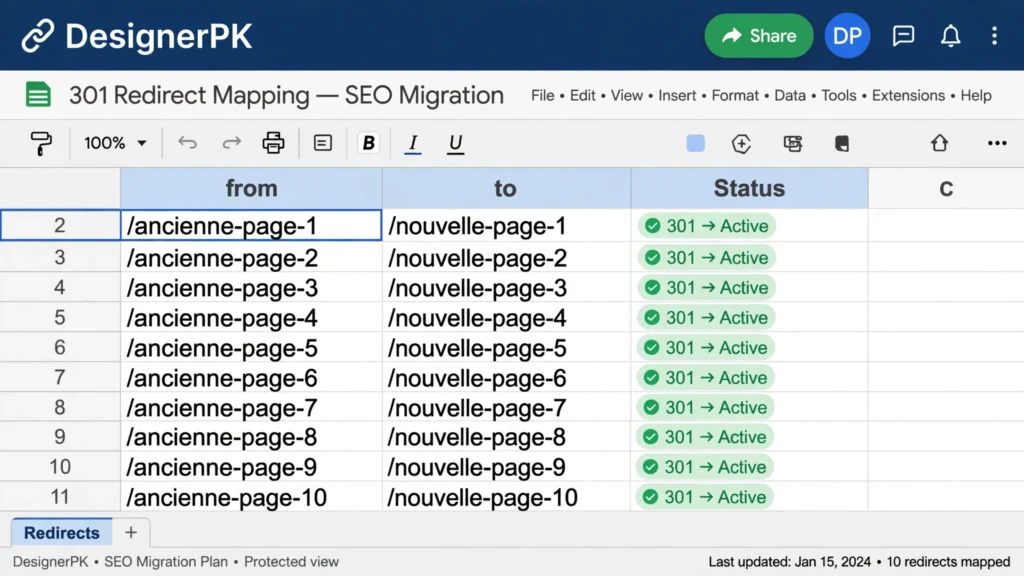
Prepare a URL mapping spreadsheet containing:
- Current URL.
- New destination URL.
- Page purpose and content type.
- Existing SEO importance.
- Redirect requirement.
- Migration testing status.
If an old URL changes, redirect it to the most relevant equivalent page using a permanent server-side redirect, typically HTTP 301 or 308.
For example, if an existing service page moves to a new location, its old URL should point directly to the corresponding replacement rather than an unrelated page.
Do not redirect every deleted page to the homepage. When no suitable replacement exists, a page may need to return a genuine 404 or 410 response, depending on the circumstances.
Update internal links to point directly to the new URLs rather than depending on redirect chains.
After implementing redirects, test both the original URL and its final destination. Check for redirect loops, incorrect destinations, and unnecessary intermediate redirects.
For large websites, use a crawl of the existing website alongside analytics and Search Console data to identify URLs that might otherwise be overlooked.
-
9
Review Mobile Responsiveness and Accessibility
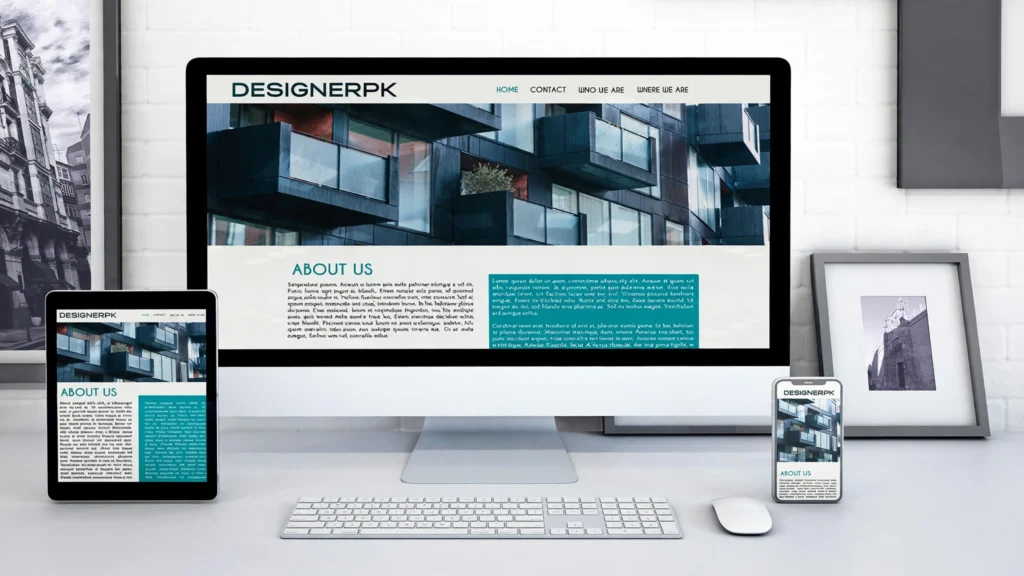
Test the current website on smartphones, tablets, and desktop screens. Identify layouts and interactive elements that are difficult to use on smaller displays.
Check menu behavior, text readability, image scaling, buttons, form fields, product galleries, and checkout screens.
Accessibility should also be included in the design requirements. Review:
- Keyboard navigation and visible focus indicators.
- Form labels and helpful error messages.
- Meaningful alternative text for informative images.
- Logical heading structure.
- Color contrast and text readability.
- Accessible navigation and interactive controls.
- Clear instructions for important user actions.
Use the W3C Web Accessibility Initiative’s WCAG resources as a reference when preparing accessibility requirements.
Do not treat mobile responsiveness as simply shrinking desktop content. The new design should provide an easy-to-use experience across different screen sizes and input methods.
For example, a mobile navigation menu should remain easy to open, close, and operate using a keyboard or touch input. Form fields should have clear labels and enough space for users to interact with them.
I recommend including mobile and accessibility checks in the design review process rather than leaving them until the final testing stage.
-
10
Evaluate Page Speed and Core Web Vitals
Measure the existing website’s performance before rebuilding it. A new design can introduce larger images, additional scripts, animations, and unnecessary plugins that make pages slower.
Review Google’s Core Web Vitals:
- Largest Contentful Paint (LCP): Measures loading performance. A good result is 2.5 seconds or less.
- Interaction to Next Paint (INP): Measures responsiveness. A good result is 200 milliseconds or less.
- Cumulative Layout Shift (CLS): Measures visual stability. A good result is 0.1 or less.
These are Google’s recommended thresholds at the 75th percentile of page visits, evaluated separately for mobile and desktop.
Use Google PageSpeed Insights to evaluate performance and identify potential improvements. For additional technical guidance, consult Google’s Core Web Vitals documentation.
For WordPress websites, review:
- Image dimensions, compression, and modern image formats.
- Browser and server-side caching configuration.
- Hosting resources and server response times.
- Theme efficiency and unnecessary plugin overhead.
- JavaScript and CSS loading behavior.
- Database queries and third-party scripts.
For WooCommerce stores, also consider product filters, cart fragments, checkout scripts, and dynamic content that can affect performance.
Do not assume a redesigned website will automatically be faster. Performance depends on the implementation, hosting environment, assets, scripts, and server configuration.
If the existing website has significant performance problems, consider addressing them during the redesign rather than postponing optimization until after launch. Our website speed optimization service is relevant when specialist performance troubleshooting is required.
-
11
Identify Required Features, Integrations, and Functionality
List everything the redesigned website must do. This is particularly important when the existing website supports business operations beyond displaying information.
Possible requirements include:
- Contact forms and appointment booking.
- Customer accounts and membership features.
- Payment gateways and checkout functionality.
- Inventory and shipping integrations.
- CRM and email marketing connections.
- Analytics, advertising, and conversion tracking.
- Third-party APIs and business workflow integrations.
- Automated notifications and internal business processes.
For a WooCommerce store, document product variations, coupons, shipping rules, payment methods, tax configuration, and order management requirements.
For custom business websites, define specialized workflows or features that cannot be handled reliably by standard plugins or themes.
Document which existing features must be retained, which should be improved, and which can be removed. This prevents important functionality from being overlooked during development.
Also identify the systems that exchange information with your website. For example, a contact form may send inquiries to a CRM, trigger an email notification, and create a task for your sales team.
When several systems need to communicate, document the required data, permissions, failure handling, and expected behavior before development begins.
-
12
Choose the Right Platform, Theme, or Custom Development Approach
Select the technology based on the website’s requirements, available resources, and long-term maintenance needs.
A WordPress website may be suitable when you need flexible content management, established integrations, and a manageable publishing workflow. WooCommerce can support online stores that need product management and e-commerce functionality.
If your business needs a flexible content management system, custom WordPress functionality, or a WooCommerce solution, explore our WordPress and E-commerce Development Services.
A custom development approach may be more appropriate when your business requires specialized functionality, complex integrations, or an architecture that cannot be supported effectively by a standard theme or plugin setup.
For businesses that need specialized website functionality or a tailored user experience, explore our Custom Website Development Services.
Compare your options based on:
- Required features and flexibility.
- Initial development and ongoing maintenance costs.
- Performance and scalability requirements.
- Security and software update requirements.
- Content management capabilities.
- Integration and migration complexity.
- Availability of technical support.
Do not choose a platform simply because it is popular. Choose one that supports your current business operations and future requirements without unnecessary complexity.
Before replacing an existing CMS, also consider the effort required to migrate content, customer records, product information, and important website functionality.
-
13
Plan the Redesign Budget, Timeline, and Responsibilities
Estimate the project budget before development starts. Website redesign cost depends on the size of the website, design complexity, functionality, content migration, integrations, platform requirements, and testing needs.
Include these cost categories in your planning:
- Research, planning, and website auditing.
- Design and development.
- Content writing and migration.
- SEO and URL migration.
- Third-party integrations and software licenses.
- Testing, launch, and ongoing maintenance.
- Hosting, security, and backup arrangements.
Assign responsibilities for approving content, providing access, reviewing designs, testing functionality, and authorizing the launch.
Agree on project milestones and approval deadlines. This reduces confusion when multiple people are involved in the redesign.
I also recommend documenting what is included in the development agreement, how additional requirements will be handled, and who will maintain the website after launch.
Before approving a proposal, distinguish essential requirements from optional improvements. This makes it easier to control project scope and prioritize features that directly support business goals.
Finally, include a reasonable contingency in your internal project planning for unexpected technical issues, migration complications, or additional requirements discovered during development.
-
14
Prepare a Separate Staging Environment
Develop and test the redesigned website in a staging environment rather than making major changes directly to the live website.
A staging environment allows developers and business owners to review layouts, functionality, integrations, and content before public release. It also reduces the risk of disrupting existing customers while development is in progress.
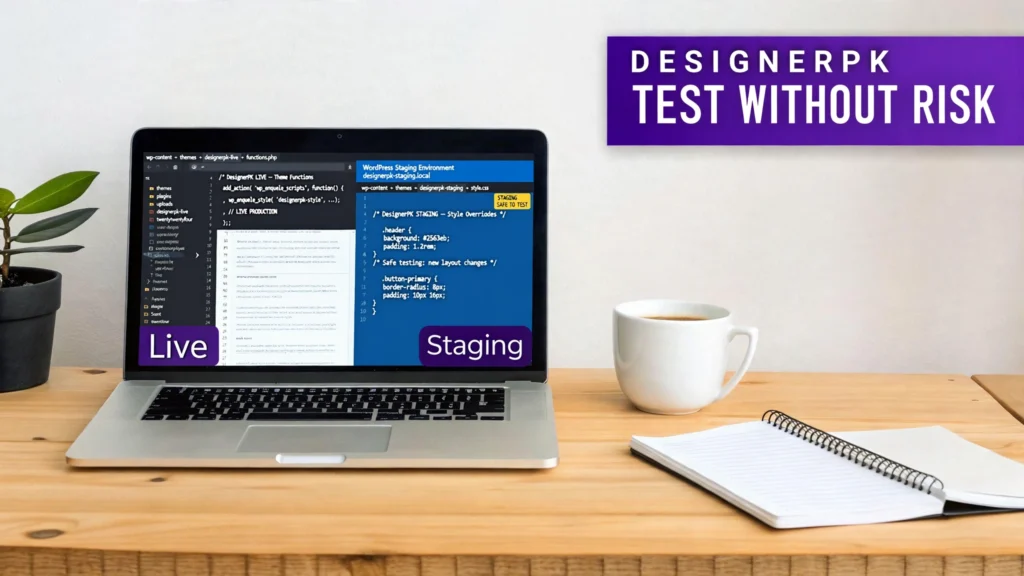
Before approving the staging environment, check the following:
- The staging website uses an appropriate server and PHP configuration.
- WordPress themes and plugins are installed and configured correctly.
- Important website content and media files have been migrated.
- Custom functionality and third-party integrations are working.
- Forms and transactional email behavior can be tested safely.
- Staging pages are protected from unintended public access.
Check that staging pages are not accidentally indexed by search engines. Use appropriate authentication or access restrictions and configure search engine visibility settings carefully.
For WordPress and WooCommerce projects, ensure that staging and production settings are managed separately, especially when dealing with customer data, orders, payment integrations, and automated notifications.
Avoid allowing staging tests to send real customer emails, process unintended payments, or modify live inventory. Use test credentials and sandbox integrations wherever available.
Use WordPress technical documentation for guidance on managing and administering WordPress installations.
Before launch, document how the staging website will be deployed to production and how any changes made to the live website during development will be handled.
-
15
Test Forms, Links, Navigation, and Website Functionality
Test every important feature before approving the redesigned website. Do not assume that a feature works simply because it appears correctly in the design preview.
Test the following functionality:
- Contact forms and email notifications.
- Navigation menus and dropdowns.
- Internal and external links.
- Website search functionality.
- Login, registration, and account recovery.
- Product variations and shopping cart behavior.
- Checkout, payment, and order confirmation.
- Mobile layouts and interactive elements.
- Cookie consent and relevant privacy controls.
Verify important integrations using appropriate test environments. Confirm that analytics events, conversion tracking, and notifications are working as expected.
For WooCommerce stores, test the complete purchase journey, including:
- Product selection and product variations.
- Cart updates and coupon functionality.
- Shipping methods and tax calculations.
- Payment confirmation and order creation.
- Inventory updates and order notifications.
- Customer emails and account order history.
For businesses planning to build or improve an online store, our E-commerce Website Development Services can help address product management, checkout functionality, payment integrations, and store requirements.
Record any problems, assign responsibility for fixing them, and repeat the relevant tests after corrections.
I also recommend testing important pages in different browsers and on actual mobile devices. Responsive previews are useful, but they do not always reveal every real-world usability problem.
-
16
Prepare an SEO Migration and Launch Plan
Before going live, confirm that the SEO requirements documented during the audit have been implemented.
Prepare the following:
- Approved URL mapping and redirect rules.
- Page titles and meta descriptions.
- Canonical URLs.
- Updated internal links.
- XML sitemap.
- Robots.txt configuration.
- Structured data where applicable.
- Google Search Console access.
Check that the production website does not accidentally retain staging noindex directives or access restrictions. Confirm that the intended pages can be crawled and indexed.
Review important URLs to ensure they return the expected HTTP status codes. Redirected URLs should resolve to relevant destinations, while pages intended to remain accessible should return the appropriate successful response.
Also verify that canonical tags point to the correct production URLs and that internal links do not continue pointing to staging addresses.
Generate an updated XML sitemap containing the URLs you want search engines to discover and index. Submit it through Google Search Console when appropriate.
Follow Google’s official site migration guidance when changing website URLs or moving to a new domain.
Do not expect search engines to update every page immediately. Monitor indexing and crawling after launch and investigate unexpected errors.
-
17
Schedule the Website Launch Carefully
Choose a launch window that gives your team enough time to verify the website and respond to unexpected issues.
For an e-commerce store, coordinate the launch around order activity, payment processing, inventory updates, and customer support availability.
Before switching the redesigned website to production, confirm that:
- A current backup is available and recovery arrangements are documented.
- DNS and hosting requirements are understood.
- SSL is configured correctly.
- Redirects are ready for implementation.
- Forms and essential integrations have been tested.
- Analytics and tracking configurations are ready.
- Staging restrictions will not block the production website.
- Responsible team members are available during launch.
Document the launch sequence and establish a rollback procedure in case a critical issue prevents the new website from operating correctly.
For WooCommerce migrations, pay particular attention to orders and customer activity occurring during the deployment process. A simple database replacement can overwrite recent transactions if the migration has not been planned properly.
After deployment, perform a quick production verification. Open important pages, submit a test contact form, check redirects, confirm HTTPS, and verify that the primary customer journey works correctly.
Do not consider the launch complete until the production website has been checked rather than relying only on successful staging tests.
-
18
Establish a Post-Launch Monitoring Process
A redesign project should not end immediately after the new website becomes publicly accessible. Monitor its technical condition and business performance after launch.
Review the following areas:
- 404 errors and redirect behavior.
- Search Console indexing and crawl issues.
- Organic traffic and important landing pages.
- Contact form submissions and conversion tracking.
- Website speed and Core Web Vitals.
- Checkout, payment, and order processing.
- Server errors and unexpected plugin conflicts.
- Broken images, scripts, and third-party integrations.
Compare results against the baseline collected before the redesign. Investigate unexpected changes rather than assuming they are normal consequences of launching a new website.
Use Google Search Console to monitor search visibility, indexing, and crawl-related issues. Review analytics data to identify changes in landing page performance and conversions.
For WordPress websites, continue checking plugin compatibility, theme updates, database health, backups, and server performance.
For WooCommerce stores, monitor order processing, payment notifications, stock synchronization, and customer account functionality particularly carefully.
Establish a maintenance schedule that covers:
- WordPress core, theme, and plugin updates.
- Regular backups and restoration checks.
- Security monitoring and access reviews.
- Performance testing and optimization.
- Broken link and technical error checks.
- Form, checkout, and integration testing.
If new technical problems appear after launch, investigate their underlying causes before making additional design or development changes. Professional website bug fixing and technical troubleshooting can help when issues involve plugin conflicts, broken functionality, or server configuration.
Continue monitoring the website and maintaining its software, backups, and integrations after the initial launch period.
Website Backups, Customer Data, and Privacy Considerations
Website redesign projects often involve access to sensitive business information, customer records, analytics accounts, and website databases. These assets should be protected throughout development and migration.
Before sharing website access with developers or external agencies, establish appropriate access permissions. Use individual accounts rather than sharing administrator passwords, and enable multi-factor authentication wherever available.
For WordPress and WooCommerce projects, take particular care with customer details, order records, payment-related information, and contact form submissions. Use secure staging environments and avoid copying real customer information into development systems unless there is a legitimate need and appropriate protection.
Protect Website Access and Administrator Accounts
Review who has access to the existing website, hosting account, domain registrar, and connected business services.
- Use separate administrator accounts for authorized team members.
- Remove access that is no longer required.
- Enable multi-factor authentication where supported.
- Use secure password management practices.
- Limit access to sensitive customer and business information.
Handle Customer Data Carefully During Migration
When migrating a WooCommerce store, consider customer accounts, order history, product information, inventory, and other business records.
Do not assume that copying the production database into staging is harmless. Development environments should use appropriate access controls and data protection measures. Where practical, use anonymized or synthetic data for testing.
Review Privacy Policies and Tracking Configuration
Review the website’s privacy policy, cookie consent configuration, analytics tracking, and third-party integrations when changing the technology stack.
A redesign should not unintentionally introduce new data collection or tracking practices without appropriate review.
For additional guidance, consult the Federal Trade Commission’s business privacy and security resources.
How to Protect SEO Rankings During a Website Redesign
One of the biggest risks during a website redesign is losing existing search visibility. A new design may improve the visual experience, but changes to URLs, content, internal links, and technical settings can affect how search engines discover and understand your pages.
I recommend treating SEO migration as a separate part of the redesign project rather than something to handle after development is complete.
1. Preserve Important Existing URLs
Before changing the website structure, identify URLs that already attract organic traffic, have valuable backlinks, or generate business inquiries.
Keep existing URLs wherever practical. Changing URLs simply to make them shorter or visually cleaner may introduce unnecessary migration work.
If a URL must change, document its new destination and prepare an appropriate permanent redirect. Each old URL should point to the most relevant replacement page.
2. Maintain Relevant Page Content and Metadata
Review existing page titles, meta descriptions, headings, and primary content before migrating important pages.
Do not remove useful information simply because it does not fit the new design. If content needs improvement, update it while maintaining the original page’s search intent and useful information.
For example, if an existing service page attracts visitors searching for WordPress development, the redesigned page should continue addressing that need rather than replacing the content with a generic company introduction.
3. Create and Test Relevant Redirects
When existing URLs change, implement appropriate server-side permanent redirects, typically HTTP 301 or 308.
Avoid unnecessary redirect chains and redirects to unrelated destinations. Each old URL should resolve directly to its most relevant replacement where one exists.
After implementation, test the redirects and verify that the final destinations return the expected HTTP status codes.
4. Update Internal Links
Review internal links throughout the redesigned website. Navigation menus, service pages, blog posts, breadcrumbs, and footer links should point directly to the correct destination URLs.
Do not rely on old internal links continuing to work through redirects. Updating them reduces unnecessary redirect requests and makes the website structure easier to maintain.
5. Review Canonical Tags and Indexing Settings
Check canonical tags to ensure that important pages identify the correct preferred URL. Incorrect canonical references can confuse search engines about which version of a page should be indexed.
Also review robots.txt rules, meta robots directives, and platform-level search visibility settings. A common migration problem is accidentally leaving the development website’s search engine blocking settings enabled after launch.
6. Update and Submit the XML Sitemap
Generate an updated XML sitemap containing the URLs you want search engines to discover and index.
Remove obsolete URLs and avoid including redirected or non-indexable pages as normal sitemap entries.
Submit the updated sitemap through Google Search Console and monitor indexing reports for unexpected issues.
7. Monitor Search Performance After Launch
Compare post-launch performance with the baseline collected before the redesign. Monitor important landing pages, search queries, clicks, impressions, indexing, and crawl errors.
Some temporary fluctuations can occur during website migrations, but a redesign does not guarantee that rankings will remain unchanged or improve.
Check redirects, page availability, content differences, canonical tags, and technical accessibility before making further changes.
For detailed guidance, follow Google Search Central’s documentation on site moves with URL changes.
Website Redesign SEO Checklist
- Identify important existing URLs.
- Record organic landing pages and valuable backlinks.
- Preserve useful page content and metadata.
- Prepare a complete old-to-new URL mapping sheet.
- Implement relevant permanent redirects.
- Update navigation and internal links.
- Check canonical tags and indexing directives.
- Review robots.txt and XML sitemap configuration.
- Test important pages and redirect destinations.
- Verify Google Search Console after launch.
- Monitor organic traffic and indexing issues.
Website Redesign Best Practices to Follow
A good redesign should improve the website’s ability to support business operations without creating unnecessary technical complexity. These practices help keep the project focused on useful outcomes.
Keep Business Goals Ahead of Visual Trends
Design decisions should support the needs of your customers and business. A visually impressive homepage is not particularly useful if visitors cannot understand your services or find a way to contact you.
Design for Mobile Users From the Beginning
Include mobile layouts in the initial design process instead of treating them as a final development adjustment. Review navigation, content hierarchy, buttons, forms, and page layouts across screen sizes.
Make Performance Part of Development
Use appropriately sized images, avoid unnecessary scripts, and select themes and plugins carefully. Review caching, hosting, and server configuration as part of the technical implementation.
Measure performance throughout development instead of waiting until the website is ready for launch.
For websites experiencing performance problems, professional WordPress speed optimization may be more appropriate than rebuilding the entire website.
Keep Website Management Practical
Choose a content management setup that your team can manage. Avoid adding complicated features or excessive plugins when simpler solutions can meet the same requirements.
Document Changes and Test Before Publishing
Maintain a record of important design, content, SEO, and technical decisions. Test the redesigned website in staging and obtain approval before replacing the production website.
Plan for Ongoing Maintenance
Website maintenance should be included in the long-term redesign plan. Software updates, backups, security checks, broken link monitoring, and functionality testing help keep the website reliable after launch.
Website Redesign Mistakes to Avoid
Even well-planned redesign projects can introduce problems when important details are overlooked. I recommend paying particular attention to the following mistakes before approving a new website.
Changing URLs Without a Redirect Plan
Changing page URLs without mapping the old destinations can leave visitors and search engines encountering missing pages. This can also affect pages that already receive organic traffic or have valuable backlinks.
Prepare an old-to-new URL mapping document and implement appropriate redirects before launch. Test important URLs to confirm that visitors reach the correct destinations.
Removing Pages Without Reviewing Their SEO Value
Deleting old blog posts, service pages, or landing pages without checking their traffic, backlinks, and purpose can remove useful search assets.
Review each page before deciding whether to retain, improve, merge, or remove it. If a page has valuable information, consider updating its content rather than deleting it simply because the design is outdated.
Choosing a Theme Only Because It Looks Attractive
A visually appealing theme may still include unnecessary features, complicated layouts, or performance overhead.
Evaluate its usability, responsiveness, customization options, compatibility, and technical requirements before committing. For WordPress websites, also consider whether the theme will remain manageable as your business grows.
Installing Too Many Plugins
Adding plugins for every small feature can increase maintenance complexity and create compatibility problems.
Use reliable, maintained solutions and avoid unnecessary functionality. Before installing a plugin, determine whether the feature is genuinely required and whether an existing tool can provide the same capability.
Ignoring Website Analytics
Redesigning without reviewing analytics can result in removing pages and features that already support important business goals.
Use existing performance data to understand which pages attract visitors, generate inquiries, and contribute to sales. These findings should influence the new website structure.
Launching Without Proper Testing
A website that looks correct in a desktop preview may still contain broken forms, mobile layout issues, incorrect redirects, or checkout errors.
Test important user journeys in staging and verify the production website after deployment. Pay particular attention to contact forms, payment processing, navigation, and customer account functionality.
Assuming a New Design Automatically Improves SEO
Search visibility depends on many factors, including content relevance, technical accessibility, website quality, and competition.
A redesign alone does not guarantee better rankings or organic traffic. Preserve useful content, implement the migration correctly, and monitor search performance after launch.
Ignoring Future Maintenance Requirements
A redesigned website still needs software updates, backups, security monitoring, and technical maintenance.
Before approving the project, establish who will manage updates, troubleshoot problems, maintain integrations, and monitor website performance after launch.
Website Redesign Examples for Different Types of Businesses
Website redesign requirements vary depending on the business model, existing technology, and customer expectations. The following examples illustrate how I would approach different types of redesign projects.
Small Business Website Redesign
A small business may have an outdated website with unclear service information, difficult navigation, and limited mobile usability.
In this situation, I would prioritize:
- A clearer homepage and service structure.
- Updated business information and service descriptions.
- Simple navigation and visible contact options.
- Mobile-friendly layouts.
- Functional contact forms and lead tracking.
- Clear calls to action on important pages.
The objective is to make it easier for potential customers to understand the business, evaluate its services, and take the next step.
WordPress Website Redesign
A WordPress website may have an outdated theme, excessive plugins, inconsistent page layouts, or technical problems that make maintenance difficult.
Before rebuilding it, I would evaluate:
- Existing themes and plugin dependencies.
- Custom functionality and database requirements.
- Page builder limitations.
- Performance and hosting configuration.
- Content migration and SEO requirements.
- Security and software compatibility.
Depending on the findings, targeted improvements, theme replacement, or complete WordPress redevelopment may be appropriate.
Businesses requiring custom functionality or technical improvements can explore our custom website development services.
WooCommerce Store Redesign
An online store may need a better shopping experience, improved product navigation, more reliable checkout functionality, or additional business integrations.
Important considerations include:
- Product and category page structure.
- Product variations and inventory.
- Payment and shipping configurations.
- Customer accounts and order history.
- Cart and checkout functionality.
- Customer data and order migration.
- Third-party integrations.
WooCommerce redesigns require additional care because customer orders and transactions may continue while development is taking place.
Explore our WordPress and E-commerce Development Services for store development and functionality requirements.
How Much Does a Website Redesign Cost?
Website redesign cost depends on the amount of work required, the technology being used, and the complexity of the project. There is no single price that applies to every business website.
A relatively simple business website may require mostly visual and content updates, while a larger website may need custom functionality, database migration, complex integrations, and extensive testing.
Factors That Affect Website Redesign Cost
- Website size: More pages generally require additional content review, migration, and testing.
- Design complexity: Custom layouts and specialized user experiences require additional design and development work.
- Platform: WordPress customization, platform migration, and custom development have different technical requirements.
- Functionality: Booking systems, customer accounts, payment integrations, and custom workflows increase project scope.
- SEO migration: URL mapping, redirects, content optimization, and technical validation require additional planning.
- Content migration: Rewriting, organizing, and transferring existing content can add significant work.
- Third-party integrations: CRM systems, payment gateways, inventory tools, and external APIs may require additional development.
- Maintenance: Hosting, software licenses, backups, security, and ongoing support should be considered separately.
Website Redesign Cost by Project Scope
Instead of relying on generic pricing estimates, I recommend classifying the project by the type of work required.
| Project Type | Typical Scope | Main Cost Considerations |
|---|---|---|
| Website Refresh | Visual updates and minor layout improvements. | Design adjustments, images, typography, and content updates. |
| Business Website Redesign | New page layouts, navigation, and improved user experience. | Design, development, content migration, and testing. |
| WordPress Redesign | Theme replacement, custom functionality, and technical improvements. | WordPress development, plugin compatibility, and migration. |
| WooCommerce Redesign | Product pages, shopping cart, checkout, and store functionality. | Product migration, payment integrations, inventory, and testing. |
| Complete Custom Rebuild | New architecture, specialized functionality, and custom integrations. | Technical planning, custom development, data migration, and ongoing maintenance. |
How to Prepare a Realistic Redesign Budget
Before requesting development proposals, prepare a list of required pages, features, integrations, and migration requirements. Ask developers to separate essential functionality from optional improvements.
Request a clear breakdown of design, development, content migration, SEO work, testing, launch, and ongoing maintenance. This makes proposals easier to compare and reduces the risk of unexpected costs.
Also clarify whether the quoted price includes hosting setup, software licenses, third-party services, post-launch support, and future changes.
A lower initial development price does not necessarily mean a lower overall project cost. Consider technical quality, maintainability, support, and the ability to meet your actual business requirements.
If your existing website mainly needs technical troubleshooting or performance improvements, compare those options with a complete rebuild before committing to a larger budget.
Frequently Asked Questions About Website Redesign
How often should a business redesign its website?
There is no fixed redesign schedule for every business. I recommend reviewing your website regularly and considering a redesign when its design, functionality, technology, or user experience no longer supports your business goals. Sometimes targeted improvements are sufficient without rebuilding the entire website.
How much does a business website redesign cost?
The cost depends on website size, design complexity, functionality, content migration, integrations, and technical requirements. I recommend preparing a detailed project scope and requesting an itemized estimate covering design, development, SEO migration, testing, and maintenance.
Can a website redesign negatively affect SEO rankings?
Yes. Changing URLs, removing useful content, modifying internal links, and implementing incorrect indexing settings can affect search visibility. I recommend auditing existing SEO performance and preparing a URL migration and redirect plan before development begins.
Should I back up my website before a redesign?
Yes. Create a complete backup of website files, databases, and relevant configurations. Store it securely and verify that restoration is possible. For WooCommerce websites, pay particular attention to customer records, recent orders, and inventory data.
What should I check before launching a redesigned website?
Test navigation, contact forms, internal links, mobile layouts, checkout, payment integrations, redirects, metadata, canonical tags, SSL, analytics, and important website functionality. Also verify that staging restrictions are handled correctly and that search engines can access the intended production pages.
Will redesigning my website automatically improve its speed?
No. Website speed depends on hosting, server configuration, image optimization, scripts, themes, plugins, and caching. I recommend measuring performance during development and testing the redesigned website using Google PageSpeed Insights rather than assuming a new design will be faster.
Should I redesign my website or fix the existing problems?
Start with a technical and usability audit. If the existing platform and structure are suitable, targeted improvements or professional bug fixing may be more practical. A complete redesign makes more sense when significant design, architecture, or functionality limitations prevent the website from meeting business requirements.
Should I use WordPress or custom website development for a redesign?
WordPress is suitable for many business websites and content-driven projects. Custom development may be more appropriate when your business requires specialized functionality, complex integrations, or greater control over its website architecture. I recommend choosing based on actual requirements, maintenance responsibilities, scalability, and budget.
Conclusion: Use This Website Redesign Checklist Before You Rebuild
A successful website redesign starts with understanding what your existing website does well, where it needs improvement, and what your business expects from the new version.
Before approving a rebuild, review your business goals, website analytics, existing content, technical SEO, performance, backups, functionality, and development requirements. Documenting these details helps prevent unnecessary changes and protects valuable website assets.
I recommend treating SEO migration, website security, mobile usability, and performance as part of the development process rather than tasks to complete after launch.
Whether you need a complete business website redesign, WordPress development, WooCommerce improvements, performance optimization, or technical troubleshooting, begin by identifying the actual problems before selecting a solution.
The right redesign is not simply a website that looks different. It is a website that better supports your customers, business operations, and long-term goals.
Planning a Website Redesign?
Before investing in a complete rebuild, evaluate your existing website and identify the improvements that will make the biggest difference to your business.
Our team can help you review your website structure, identify technical and performance issues, evaluate development requirements, and plan a practical redesign strategy.
Need help planning your next website redesign? Let’s discuss your requirements and identify the right development approach for your business.
Request a Website Redesign Consultation