Stop Duplicate WordPress Posts Before They Happen
Your automation sends one POST /wp/v2/posts, waits 30 seconds, times out, retries, and suddenly there are two posts. The tricky part is that the first request may have worked even though your automation never received the response.
That’s why checking whether a title or slug already exists isn’t enough. The real goal is to make sure one create operation produces only one result, even if the same workflow runs again, gets retried, or runs at the same time as another execution.
WordPress provides post IDs, slugs, statuses, modification timestamps, and custom metadata through its REST API. That gives your automation enough information to build a reliable identity system. What it needs in addition is the right state and uniqueness logic around the API request.
Quick Answer
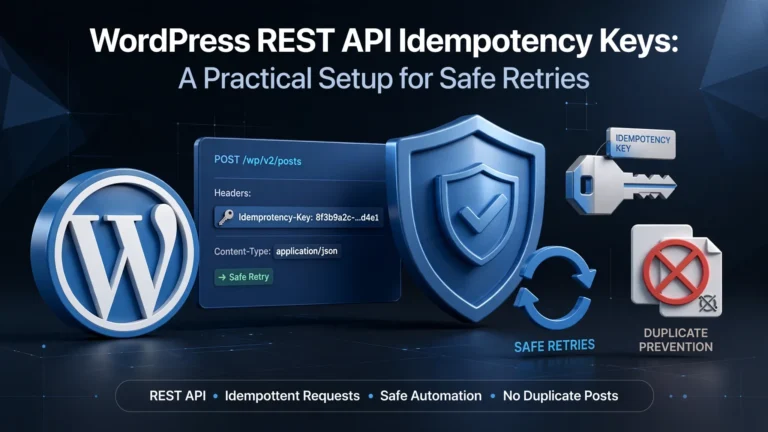
The most reliable way to prevent duplicate WordPress posts is to give each source item a stable ID, turn that ID into a unique idempotency key, and store that key in durable storage before creating the WordPress post.
Don’t rely on the post title or slug alone. A title can change, and a slug can change too. Also, a simple “GET first, then POST” check can fail when two workers run at the same time.
If a POST times out, treat the result as unknown, not as a definite failure. Reconcile with WordPress before sending another POST. This prevents a retry from creating a second post when the first request actually succeeded.
The Failure That Creates Most Duplicate Posts
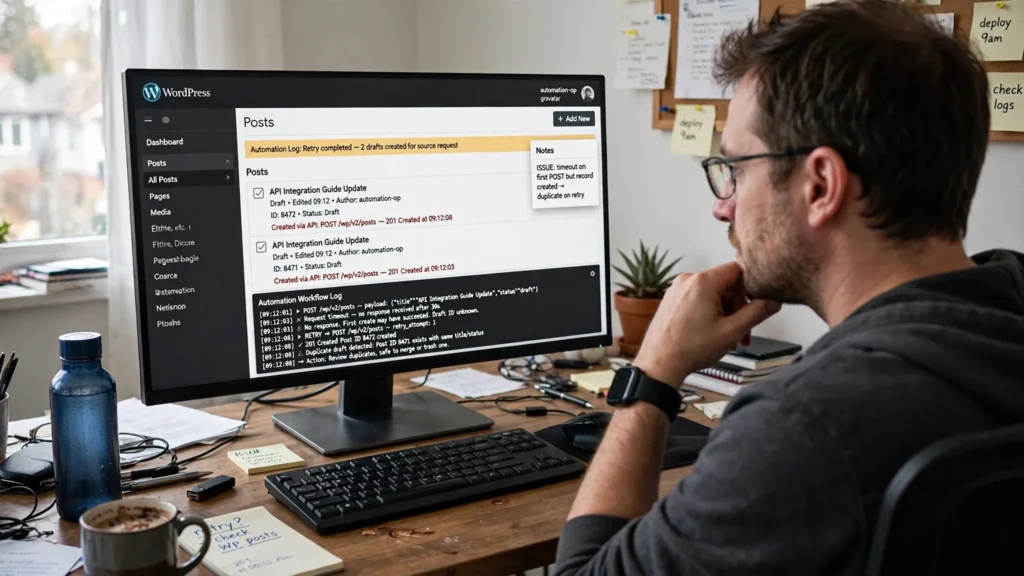
Consider a content pipeline that processes 500 source articles per day. It receives a source ID, generates content, and creates a WordPress draft.
Worker A
  |
  | GET: does source-8472 already exist?
  |------------------------------>
  |                         no result
  |<------------------------------|
  |
  | POST /wp/v2/posts
  |------------------------------>
  |
  |        WordPress creates post 9211
  |
  |        network timeout
  |<------------------ X

Worker A retries POST

  | POST /wp/v2/posts
  |------------------------------>
  |
  |        WordPress creates post 9212
  |
  |<------------------------------|
The automation sees a failed first request and a successful second request. WordPress sees two valid create operations.
This is the key distinction: HTTP retry safety is not the same as duplicate-content detection.
A title such as “How to Configure Kubernetes Logging” is a poor idempotency key. Two legitimate articles can have similar titles. A slug is also a weak primary identity because a content workflow may intentionally change slugs.
Use an External Identity
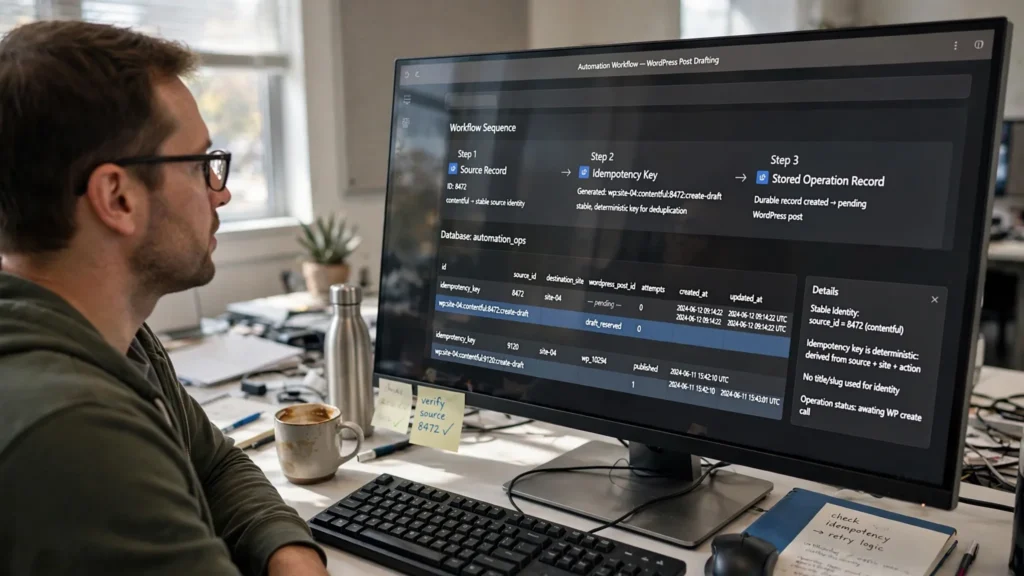
Use a Stable Source ID
Give every source item an identity that exists before WordPress creates the post. This ID should not depend on the generated title, HTML, publication time, or current slug.
Build an Idempotency Key
Combine the destination site, source system, source ID, and operation into one predictable key. Repeated deliveries of the same event will then point to the same operation.
Store the Key Permanently
Save the key in durable storage with a unique constraint. This gives concurrent workers one shared source of truth.
A useful idempotency key looks like this:
wp:{destination_site}:{source_system}:{source_id}:{operation}For example:
wp:site-04:contentful:8472:create-draftIf the same event is delivered five times, all five executions resolve to the same key.
Keep this key independent of the generated title, generated HTML, publication timestamp, and current slug. Those values can change without changing the identity of the operation.
When the Source Has No Stable ID
Some automation systems start with a payload instead of a source-system record ID. In that case, create a standard version of the fields that define the operation and generate a hash from them.
canonical = normalize(
  source_url,
  destination_site,
  content_type,
  operation
)

idempotency_key = SHA256(canonical)
Don’t include changing fields such as updated_at, workflow timestamps, random UUIDs, or tracking parameters unless those fields genuinely define a new operation.
Why “GET First, Then POST” Can Still Fail

A common setup looks like this:
GET /wp-json/wp/v2/posts?slug=example-post

if nothing returned:
    POST /wp-json/wp/v2/posts
This is useful for checking whether a record exists, but it does not prevent two workers from creating the same post.
Suppose two n8n executions start within 20 milliseconds of each other. Both perform the GET. Both receive an empty result. Both then issue the POST. The lookup worked, but the system still created two records.
The problem is that the check and the create are two separate operations. There is a small window between them where another worker can do the same thing.
A preflight lookup can reduce unnecessary requests. It cannot, by itself, guarantee duplicate-safe creation.
Make the Idempotency Claim Atomic

Your automation needs a permanent record that says: this operation belongs to this source item and has already been claimed.
PostgreSQL is a good fit when your automation already uses a database. The important part isn’t PostgreSQL itself. It’s having a real uniqueness rule that prevents two workers from claiming the same operation.
CREATE TABLE wp_publish_operations (
    id BIGSERIAL PRIMARY KEY,
    idempotency_key TEXT NOT NULL,
    destination_site TEXT NOT NULL,
    source_id TEXT NOT NULL,
    wordpress_post_id BIGINT,
    state TEXT NOT NULL,
    attempts INTEGER NOT NULL DEFAULT 0,
    request_hash TEXT,
    created_at TIMESTAMPTZ NOT NULL DEFAULT NOW(),
    updated_at TIMESTAMPTZ NOT NULL DEFAULT NOW(),

    UNIQUE (idempotency_key)
);
The unique constraint is the important part. Two workers can arrive at nearly the same time, but only one can successfully claim the key.
A Safer State Flow
RECEIVED
   |
   v
CLAIMED
   |
   v
CREATING
   |
   +----> CREATED
   |
   +----> UNKNOWN
   |
   +----> FAILED

UNKNOWN
   |
   v
RECONCILING
   |
   +----> CREATED
   |
   +----> RETRY_CREATE
   |
   +----> DEAD_LETTER
This is much safer than using a simple Boolean such as posted. A Boolean cannot tell you whether a worker crashed before the API request, after the request, or after receiving the response.
Claim the Operation
Create the idempotency record before sending the WordPress request. The database’s unique rule prevents another worker from claiming the same operation.
Create the WordPress Post
Send the create request only after the operation has been claimed.
Save the Post ID
Store the WordPress post ID as soon as a successful response arrives.
Reconcile Uncertain Requests
If the request times out or the server response is lost, check WordPress before trying to create the post again.
What to Store With the Idempotency Key
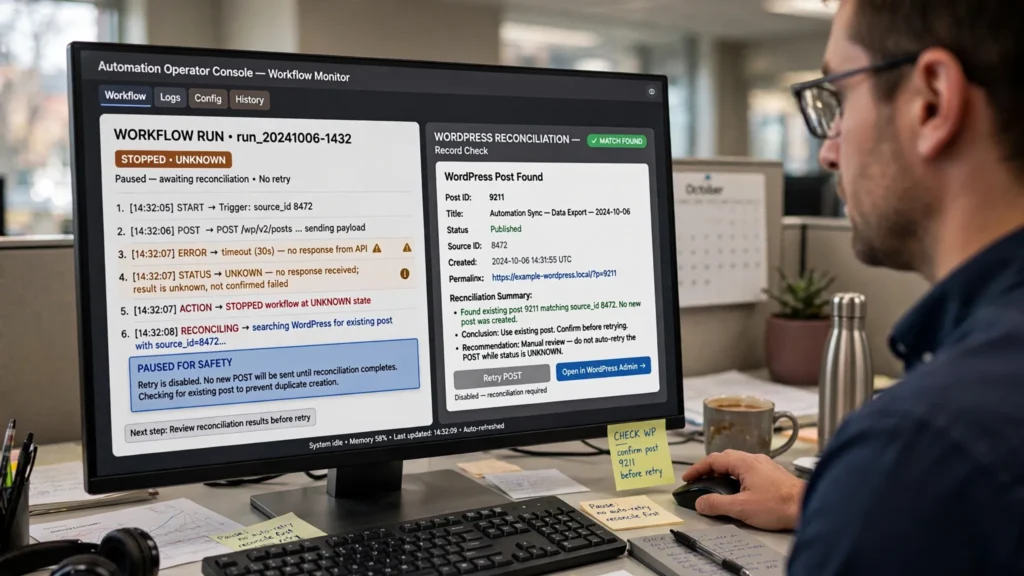
At minimum, store enough information to answer three questions during an incident: What did we try to create? Where did we try to create it? What happened?
Idempotency Key
Prevents the same logical operation from being claimed twice.
Source ID
Connects the WordPress operation to the original record.
WordPress Post ID
Stores the actual WordPress resource once it is known.
State
Shows where the operation stopped and what should happen next.
Attempts
Helps control retries and identify workflows that are failing often.
Request Hash
Helps identify changes to the payload during repeated executions.
| Field | Purpose |
|---|---|
idempotency_key | Prevents the same logical operation from being claimed twice. |
source_id | Links the WordPress operation to the originating record. |
destination_site | Separates the same source item across different WordPress sites. |
wordpress_post_id | Stores the actual WordPress resource once known. |
state | Records where the operation stopped. |
attempts | Controls retry limits and helps identify unhealthy workflows. |
request_hash | Helps detect payload changes during repeated executions. |
updated_at | Helps identify operations that have been stuck too long. |
Store the Source Identity in WordPress Too
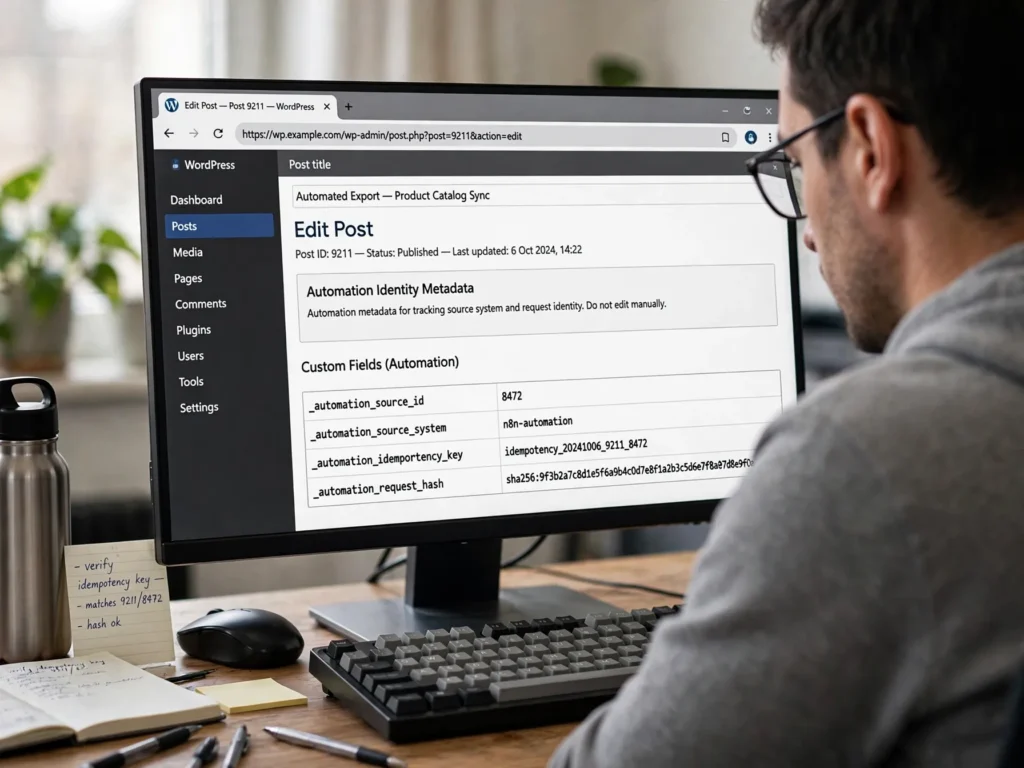
The external database should be the main source of truth for workflow state, but the WordPress post should also contain the source identity when practical.
For example:
_automation_source_id
_automation_source_system
_automation_idempotency_key
_automation_request_hash
This gives your team another way to match records. If the automation database says source ID 8472 created post 9211, WordPress can independently show the same relationship.
Registering Protected Metadata
If these fields need to be read or written through the REST API, register them explicitly. Don’t assume arbitrary post metadata will automatically be available through the API.
add_action('init', function () {
    register_post_meta('post', '_automation_source_id', [
        'type'         => 'string',
        'single'       => true,
        'show_in_rest' => true,
        'auth_callback' => function () {
            return current_user_can('edit_posts');
        },
    ]);

    register_post_meta('post', '_automation_idempotency_key', [
        'type'         => 'string',
        'single'       => true,
        'show_in_rest' => true,
        'auth_callback' => function () {
            return current_user_can('edit_posts');
        },
    ]);
});
Keep these values protected. An external caller should not be able to change the identity fields simply because it can edit normal post content.
Use the WordPress REST API for the Post
The WordPress posts API supports creating and updating posts. It also exposes fields such as ID, slug, status, title, content, metadata, categories, tags, and featured media.
That makes the REST endpoint useful for creating and updating the actual WordPress resource. The idempotency system should sit around that API request rather than assuming WordPress will automatically recognize your external event as a duplicate.
Create the Draft
POST /wp-json/wp/v2/posts
Authorization: Basic <base64-application-credentials>
Content-Type: application/json

{
  "status": "draft",
  "title": "How to Prevent Duplicate WordPress Posts",
  "content": "<p>Draft content...</p>",
  "meta": {
    "_automation_source_id": "8472",
    "_automation_idempotency_key": "wp:site-04:contentful:8472:create-draft"
  }
}
Save the returned WordPress post ID immediately after a successful response.
{
  "wordpress_post_id": 9211,
  "state": "CREATED"
}
Don’t Retry Every HTTP Failure
This is one of the most common ways automation workflows create duplicates.
| Response | Typical Action |
|---|---|
| 2xx | Store the WordPress ID and mark the operation complete. |
| 400 / 422 | Fix or quarantine the invalid payload. Don’t blindly retry. |
| 401 / 403 | Fix authentication or permissions before trying again. |
| 404 | Verify the route and site before retrying. |
| 409 | Inspect the conflict and reconcile it with the existing resource. |
| 429 | Respect the rate limit and wait before trying again. |
| 500 / 502 / 503 / 504 | Enter an uncertain or retryable state and reconcile before creating again. |
| Network timeout | Assume the server may have processed the request. |
A timeout is especially important. From the client’s perspective, “no response” means “unknown”, not “definitely failed.”
The Safe Retry Path After a Timeout
Suppose the request times out after 15 seconds.
Don’t immediately send another POST.
Mark the operation UNKNOWN.
Wait briefly to allow delayed processing to finish.
Search WordPress using the stored automation identity.
If the matching post exists, save its ID and finish.
If it doesn’t exist, retry the create operation.
If the result is still unclear, move the job to a retry queue.
POST
  |
  +-- 201 Created ------> CREATED
  |
  +-- timeout ----------> UNKNOWN
                              |
                              v
                         RECONCILE
                         /        \
                       found     absent
                        |          |
                        v          v
                     CREATED    RETRY
This turns an unclear network failure into a controlled application state.
Why a Deterministic Slug Is Still Useful
A slug should not normally be your only deduplication key, but it can be useful as a second way to find a post during reconciliation.
For automation-controlled content, you can create a predictable slug:
source-8472Or:
customer-acme-source-8472This makes operational searches easier. WordPress’s REST posts collection supports filtering by slug, which can help during reconciliation.
However, don’t treat a slug as permanent identity. WordPress allows post slugs to change, and the same content lifecycle can include drafts, pending posts, and published posts.
Handle Draft, Pending, and Published as States
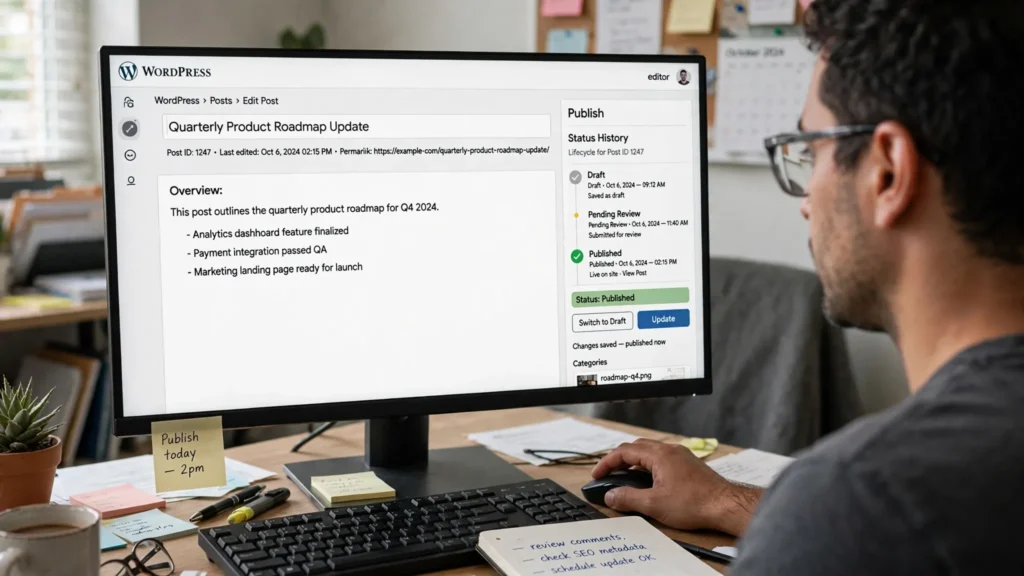
Draft
The content exists but is not yet ready for publication.
Pending
The same content can move into a review or pending state.
Published
The existing WordPress post can be published without creating another post.
A common automation mistake is starting a new create operation whenever the source changes status.
draft
  |
  v
pending
  |
  v
publish
These are lifecycle changes for the same content item. They should not produce three WordPress posts.
Your state record should therefore separate the source event from the current WordPress status.
{
  "source_id": "8472",
  "wordpress_post_id": 9211,
  "operation": "create",
  "state": "CREATED",
  "wordpress_status": "draft"
}
If the post later needs to be published, update post 9211 instead of running another create operation.
What Happens When Two Workers Claim the Same Event?

This can happen with queues, scheduled jobs, webhook retries, and automation tools that don’t keep execution state permanently.
Worker A and Worker B can both receive source ID 8472.
Worker A                    Worker B
   |                            |
   | INSERT key                 | INSERT key
   |------------------------>   |------------------------>
   |                            |
   | success                    | unique constraint failure
   |                            |
   v                            v
create WordPress            stop / read existing state
Worker B should not treat the uniqueness error as a normal application failure. It means another execution owns the operation.
Read the existing operation record and either stop or wait for the owning worker to finish.
Don’t Use Content Similarity as Your Main Protection
A hash of the title and body can be useful, but it answers a different question: “Is this payload identical to another payload?”
It does not answer: “Is this the same source event?”
Consider an article updated from:
WordPress REST API Authenticationto:
WordPress REST API Authentication: Application Passwords ExplainedThe content hash changes. The source identity does not.
On the other hand, two different source records can legitimately produce nearly identical content.
Use the source identity for idempotency. Use content hashes to spot unusual or unexpected changes.
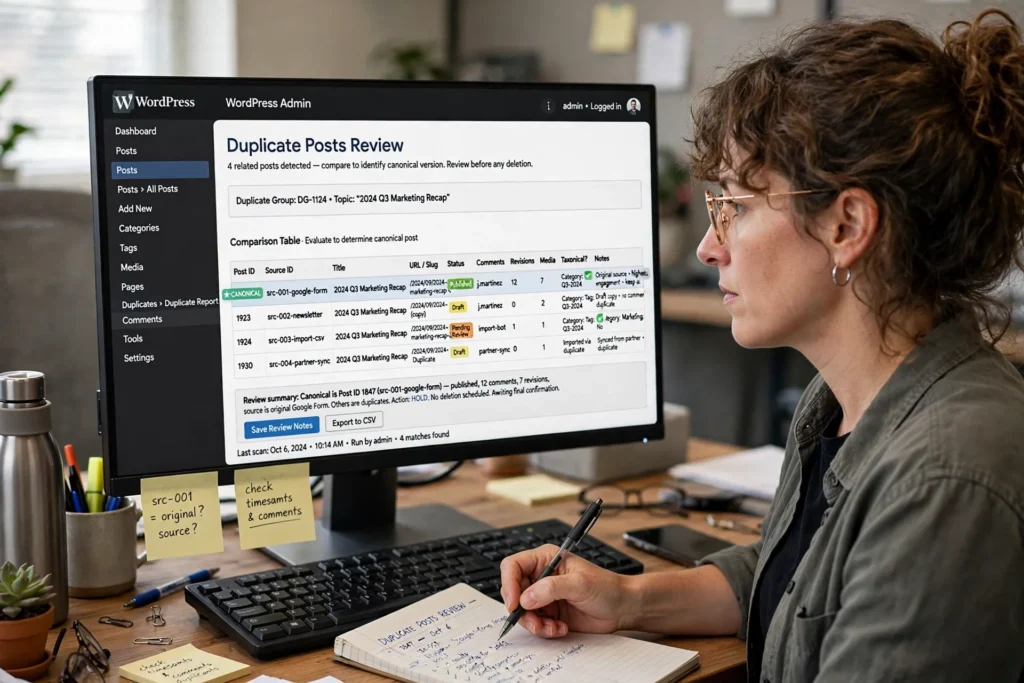
Reconcile Existing Duplicate Posts Before Deleting Anything
Prevention is better, but many systems already have duplicate records from an older automation setup.
Before deleting anything, identify:
- Which post is the canonical version.
- Which source record produced each post.
- Which post has the correct metadata.
- Which URL is currently indexed or linked internally.
- Whether comments, revisions, media, or taxonomy relationships matter.
- Whether the duplicate is published, draft, pending, or trashed.
WordPress provides application-level deletion functions that do more than a raw SQL row deletion. Destructive cleanup should therefore use WordPress-aware tools instead of an unreviewed SQL DELETE.
For a large cleanup, first create a report of possible duplicates. Review which records to keep and remove. Then run the cleanup.
Don’t Confuse Duplicate Posts With Duplicate Query Results
A WordPress site can display the same post twice without having two post records.
This can happen because of multiple loops, joins, unstable ordering, or pagination.
For example, if ten imported posts have exactly the same timestamp and a query sorts only by date, pagination can become unstable.
'orderby' => [
    'date' => 'DESC',
    'ID'   => 'DESC'
]
The unique ID gives the database a consistent tie-breaker.
This is a display or query problem. Adding an API idempotency key will not fix it.
n8n Workflow Pattern for Duplicate-Safe WordPress Creation
A practical workflow can look like this:
Webhook / Schedule
        |
        v
Normalize source event
        |
        v
Build idempotency key
        |
        v
Atomic database claim
        |
        +---- already claimed ----> read state / stop
        |
        v
Generate WordPress payload
        |
        v
POST WordPress draft
        |
        +---- success ----------> store post ID
        |
        +---- timeout ----------> reconcile
        |
        +---- 429 --------------> backoff
        |
        +---- 5xx --------------> retry/reconcile
        |
        +---- validation error -> dead letter
        |
        v
Mark operation complete
If n8n is only handling the workflow, keep permanent deduplication state outside temporary workflow execution state. A workflow restart should not erase the fact that source ID 8472 already created WordPress post 9211.
Multisite Needs the Destination Site in the Key

Site A
site-a:source:8472:create-draft
Site B
site-b:source:8472:create-draft
Site C
site-c:source:8472:create-draft
Suppose source article 8472 must create drafts on 25 WordPress sites.
This is not enough:
source:8472That would treat the operation for Site A as the same operation for Site B.
Instead, include the destination site in the key:
site-a:source:8472:create-draft
site-b:source:8472:create-draft
site-c:source:8472:create-draft
Each destination has its own WordPress resource, so each destination needs its own idempotency scope.
For a WordPress Multisite network where all operations happen inside the same installation, a network plugin can sometimes avoid unnecessary HTTP requests by working directly within each site context. For systems that are separated from WordPress, REST remains appropriate.
Add a Reconciliation Job

Even a carefully designed workflow can leave some operations in an uncertain state. Run a regular reconciliation process instead of expecting every failure to be resolved immediately.
For example, every 15 minutes:
Find operations stuck in UNKNOWN or CREATING.
Ignore records younger than a short safety window, such as 60 seconds.
Query WordPress using the stored identity.
Attach the discovered post ID if the post is found.
Retry creation only when the resource is genuinely absent.
Move repeatedly failing records to a dead-letter state.
This gives your team a controlled recovery process instead of forcing every network failure into an immediate POST retry.
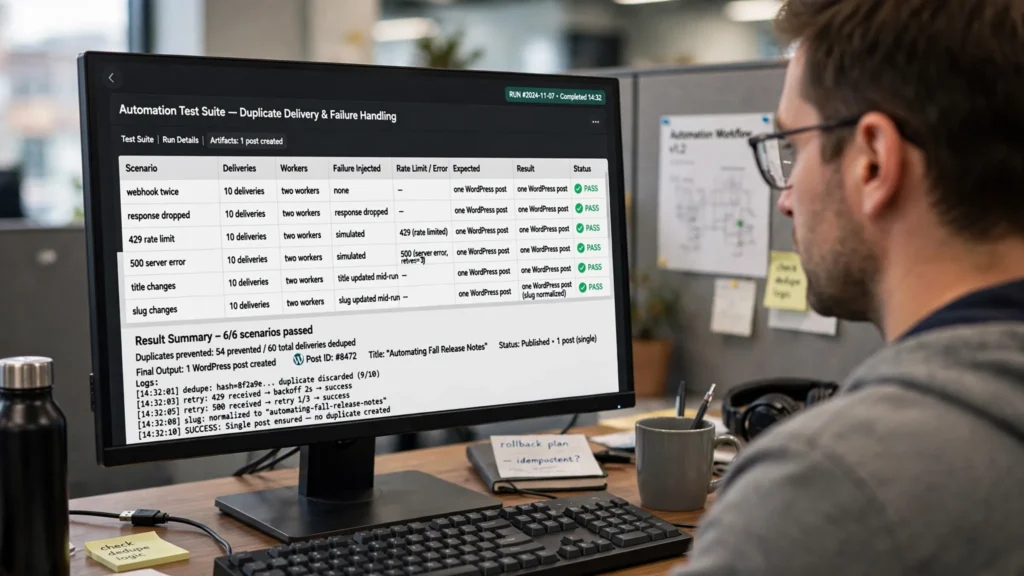
Test Duplicate Prevention With Failure Testing
Don’t validate this design only by successfully creating 100 posts. Duplicate prevention is mainly about how the system behaves when something goes wrong.
| Test | Expected Result |
|---|---|
| Same webhook delivered twice | One WordPress post. |
| Same webhook delivered 10 times | One WordPress post. |
| Two workers start at the same time | Only one claims the operation. |
| POST succeeds but the response is dropped | Reconciliation finds the existing post. |
| WordPress returns 429 | The worker waits before trying again without creating duplicates. |
| WordPress returns 500 | The retry policy is applied and the uncertain creation is reconciled. |
| Title changes | The same source operation remains linked to the same post. |
| Slug changes | The existing post remains the same resource. |
| Draft becomes published | No second post is created. |
| Same title from another source | Both legitimate records can coexist. |
The Practical Design to Use
For most WordPress REST API automations, this setup is enough:
Give every source record a stable ID.
Scope that ID to the destination site and operation.
Create a predictable idempotency key.
Claim that key atomically in permanent storage.
Store the key and source ID in WordPress metadata.
Create the WordPress resource as a draft when human review is needed.
Save the resulting WordPress post ID.
Treat timeouts as unknown rather than failed.
Reconcile before retrying an uncertain POST.
Use exponential backoff for retryable failures.
Send permanently failing operations to a dead-letter state.
Run regular reconciliation against WordPress.
The central idea is simple: the title is content, the slug is an address, the WordPress post ID identifies the resource, and the idempotency key identifies the automation operation. They solve different problems and should not be used as substitutes for one another.
When a Simple WordPress Lookup Is Enough
Not every workflow needs PostgreSQL, Redis, or a distributed coordination system.
A small single-worker script that runs once per hour and doesn’t use a retrying queue may be adequately protected by checking a stored source ID before creating a post.
Your setup should match the ways your workflow can fail.
Once the workflow has concurrent workers, webhooks, automatic retries, multiple destinations, or external queues, the cost of an accidental duplicate becomes high enough that permanent idempotency state is justified.
Final Checklist
- Do you have a stable source-system ID?
- Does the idempotency key include the destination site?
- Can two workers claim the same key?
- Is uniqueness enforced by the database instead of application timing?
- Is the WordPress post ID stored after creation?
- Can you tell the difference between failed and unknown operations?
- Do timeouts trigger reconciliation?
- Are 429 and 5xx responses handled differently from validation errors?
- Can you identify the source record from inside WordPress?
- Can you reconcile historical duplicates without deleting them blindly?
- Are query-result duplicates being diagnosed separately from database duplicates?
- Have you tested concurrent execution and dropped responses?
Need to Stop Duplicate WordPress Posts in an Existing Automation?
Start by instrumenting the workflow instead of immediately adding another duplicate-title check. Record the source ID, destination site, operation, WordPress post ID, request hash, execution ID, and final state for every create attempt. Once those relationships are visible, you can fix the race condition, retry path, and historical duplicates without guessing.
For a live system, implement the idempotency record and reconciliation path first. Then turn on automated retries. This order helps prevent the retry mechanism itself from becoming the source of your next duplicate-post incident.
Review the Duplicate-Prevention SetupFrequently Asked Questions
Can checking the WordPress title prevent duplicate posts?
Not reliably. Two legitimate posts can have similar or identical titles, and two workers can pass the title check at the same time. Use a stable source identity and a unique idempotency key instead.
Is a WordPress slug a good idempotency key?
A slug is useful for finding a post during reconciliation, but it should not normally be your main identity. WordPress allows slugs to change, while the source operation may remain the same.
What should I do when a WordPress POST times out?
Treat the operation as unknown. The server may have created the post even though your automation did not receive the response. Reconcile with WordPress before sending another create request.
Do I need PostgreSQL to prevent duplicate WordPress posts?
No. A simple workflow may not need PostgreSQL, Redis, or another coordination system. The important requirement is durable state with a real uniqueness rule when your workflow has concurrency or automatic retries.
Should draft and published versions use different post IDs?
No, not when they represent the same content item. A draft can move to pending and then published status while remaining the same WordPress post.
Can two different source records have the same title?
Yes. That’s one reason title-based deduplication is unreliable. The source identity should determine whether two operations are the same.
How should I clean up existing duplicate posts?
Reconcile them before deleting anything. Identify the canonical post, source record, metadata, URL relationships, comments, revisions, media, taxonomy relationships, and current post status. For larger cleanups, create and review a duplicate report before making destructive changes.