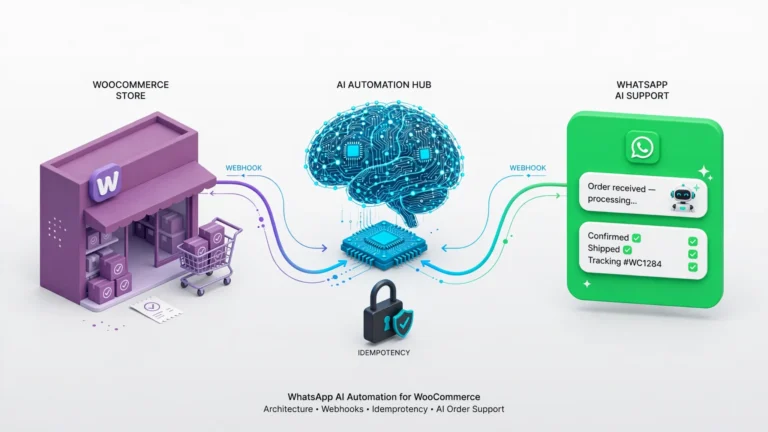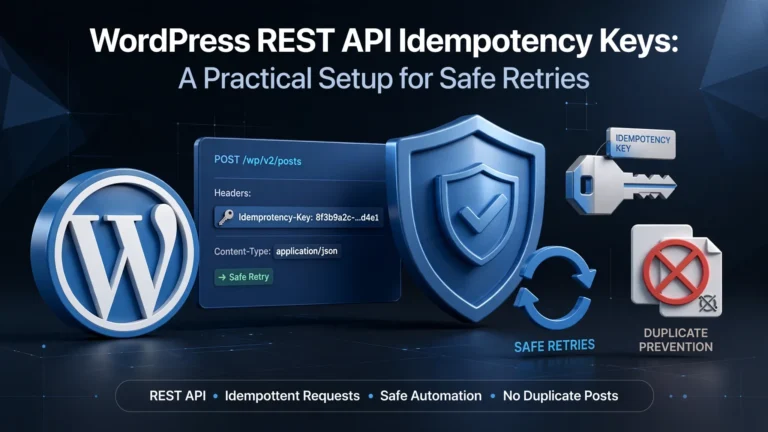
Build More Reliable WordPress Content Automation
Automating WordPress content creation can save an editorial team many hours each week. But simple API workflows can run into a tricky problem: WordPress may create a post successfully even when n8n never receives the response.
For example, a network connection can drop immediately after WordPress creates a draft. If n8n does not receive the new Post_ID, it may assume the post was never created. A retry can then create a duplicate.
This guide shows how to reduce that risk with n8n, Google Sheets, Claude AI, a custom WordPress REST endpoint, and a two-step claim system. The design helps your workflow find existing posts, handle competing workers, recover from unclear API failures, and avoid unsafe duplicate updates.
1. How the Automation Works
The first step is to give every spreadsheet row an immutable automation key. Immutable means the key does not change after it is created.
For example, row 104 gets the key wp_auto_104. The key is based only on the row ID. It does not use the keyword, title, or another field that someone might change later.
This matters because the workflow can still find the original WordPress post if someone changes the keyword or other content in Google Sheets.
[Google Sheets: Find a 'Pending' Row]
        │
        ▼
[Google Sheets: Set Status = 'Processing']
        │
        ▼
[Code Node: Create Immutable Key] ──► ( autoKey = "wp_auto_" + Row_ID )
        │
        ▼
[WordPress REST: GET /wp-json/automation/v1/get-by-key?key=wp_auto_104]
        │
        ├────────────────────────────────┬────────────────────────────────┐
        ▼                                ▼                                ▼
 [status: "ok", exists: true]     [status: "corrupted_duplicate"]   [status: "ok", exists: false]
        │                                │                                │
        ▼                                ▼                                │
[Update Existing Post Draft]     [STOP: Send to Manual Review]           │
(POST /wp-json/wp/v2/posts/{id})  (Do NOT Update Random ID)              │
        │                                                                 ▼
        │                                                 [Claude API: Generate Content]
        │                                                                 │
        │                                                                 ▼
        │                                                 [Create New WordPress Draft]
        │                                                  (Includes '_automation_key')
        │                                                                 │
        └───────────────────────────────┬─────────────────────────────────┘
                                        │
                                        ▼
                [Google Sheets: Write Post_ID & Set Status = 'Done']
2. Use a Claim System to Prevent Conflicts

WordPress and your external workflow system cannot be combined into one atomic transaction because they communicate across a network. In simple terms, you cannot guarantee that both systems will succeed or fail together.
That means true “exactly once” creation is not possible across these separate systems. Instead, this design uses an external claim store to coordinate workers and a reconciliation process to recover safely when something goes wrong.
The Four Claim States
CLAIMED: A worker has reserved the key. Thepost_idis stillNULL. This helps prevent two workers from processing the same row at the same time.CREATING: The workflow is sending the post to the WordPress REST API.COMPLETED/RECONCILED: WordPress returned a Post ID, and that ID was saved in the claim store and Google Sheets.NEEDS_REVIEW: The workflow found an unclear or conflicting result. For example, multiple WordPress posts may have the same automation key. The workflow stops so someone can review the issue.
n8n Worker
  │
  ▼
[Try to Claim Key: INSERT INTO claims (key, status)]
  │
  ├── Key already claimed & status == 'COMPLETED'
  │     └─► Recover post_id ──► Update existing post
  │
  ├── Key already claimed & status == 'CLAIMED' / 'CREATING'
  │     └─► Check WordPress using the immutable key
  │           ├─► Found 1 post  ──► Set status = 'COMPLETED', attach post_id
  │           ├─► Found 0 posts  ──► Safely retry / create the post
  │           └─► Found ≥2 posts ─► Set status = 'NEEDS_REVIEW' & STOP
  │
  └── Key successfully claimed (New Record Inserted)
        │
        ▼
   [Set status = 'CREATING']
        │
        ▼
   [Send WordPress REST API Post Creation Request]
        │
        ▼
   [Update claim store: status = 'COMPLETED', post_id = X]
A relational database such as PostgreSQL or MySQL can store the claims:
-- Relational Claim Store Schema (PostgreSQL/MySQL)
CREATE TABLE automation_claims (
    id SERIAL PRIMARY KEY,
    idempotency_key VARCHAR(255) NOT NULL,
    post_id BIGINT NULL,
    status VARCHAR(50) DEFAULT 'CLAIMED', -- CLAIMED, CREATING, COMPLETED, NEEDS_REVIEW
    updated_at TIMESTAMP DEFAULT CURRENT_TIMESTAMP ON UPDATE CURRENT_TIMESTAMP,
    CONSTRAINT idx_unique_claim_key UNIQUE (idempotency_key)
);
3. Add a WordPress REST Bridge

The standard WordPress REST API does not provide the exact meta-field lookup this workflow needs. A small custom plugin can add an endpoint that checks whether a post already uses a specific automation key.
The endpoint checks up to two matching posts. This lets the workflow tell the difference between no matches, one match, and two or more matches without running a separate count query.
If two or more posts use the same key, the endpoint returns corrupted_duplicate. The workflow can then stop instead of guessing which post it should update.
<?php
/**
 * Plugin Name: N8N WordPress Automation Bridge
 * Description: Exposes _automation_key meta and exact-match lookup REST route.
 */

if (!defined('ABSPATH')) {
    exit; // Exit if accessed directly
}

// 1. Register Post Meta during standard init hook
add_action('init', function() {
    register_post_meta('post', '_automation_key', [
        'type'         => 'string',
        'single'       => true,
        'show_in_rest' => true,
        'auth_callback' => function() {
            return current_user_can('edit_posts');
        }
    ]);
});

// 2. Register Minimal Exact-Match Lookup Endpoint
add_action('rest_api_init', function() {
    register_rest_route('automation/v1', '/get-by-key', [
        'methods'             => 'GET',
        'callback'            => 'get_post_by_automation_key',
        'permission_callback' => function() {
            return current_user_can('edit_posts');
        },
        'args'                => [
            'key' => [
                'required'          => true,
                'type'              => 'string',
                'sanitize_callback' => 'sanitize_text_field',
            ],
        ],
    ]);
});

function get_post_by_automation_key($request) {
    $automation_key = $request->get_param('key');

    // Fetch up to 2 items to distinguish 0, 1, or at least 2 (>=2) matches
    $query = new WP_Query([
        'post_type'      => 'post',
        'post_status'    => ['publish', 'draft', 'pending', 'future', 'private'],
        'posts_per_page' => 2,
        'fields'         => 'ids',
        'meta_query'     => [
            [
                'key'     => '_automation_key',
                'value'   => $automation_key,
                'compare' => '=',
            ],
        ],
    ]);

    $found_count = count($query->posts);

    if ($found_count === 1) {
        return new WP_REST_Response([
            'status'    => 'ok',
            'exists'    => true,
            'post_id'   => $query->posts[0],
            'duplicate' => false
        ], 200);
    } elseif ($found_count >= 2) {
        // Operational anomaly: at least 2 posts match the same automation key.
        // Return duplicate status to trigger halt/review path in client.
        return new WP_REST_Response([
            'status'    => 'corrupted_duplicate',
            'exists'    => true,
            'post_id'   => null,
            'duplicate' => true,
            'error'     => 'At least two posts match this automation key. Manual intervention required.'
        ], 200);
    }

    return new WP_REST_Response([
        'status'    => 'ok',
        'exists'    => false,
        'post_id'   => null,
        'duplicate' => false
    ], 200);
}
4. Set Up the Google Sheets Queue

Use Google Sheets as the content queue and track each row with clear status values. This gives your team a simple way to see which items are waiting, being processed, finished, or need attention.
| Column | Type | Example | Purpose |
|---|---|---|---|
Row_ID | Integer / String | 104 | Permanent row identifier used to create the automation key |
Keyword | String | automate wordpress posts with n8n | Main search keyword for the article |
Target_Audience | String | DevOps Engineers & SEO Leads | Audience information used when generating the draft |
Related_Topics | String | n8n workflow, claude api, custom rest endpoint | Related topics the article should cover |
Status | Enum Flag | Pending | Processing state: Pending, Processing, Done, Error, Needs_Review |
Post_ID | Integer / Null | 10482 | WordPress Post ID saved after successful creation or recovery |
Error_Log | String | WordPress API 401: Invalid Credentials | Stores error details for troubleshooting |
5. Handle Duplicate Matches Safely

If the WordPress lookup returns status: "corrupted_duplicate", n8n should never update posts[0].
If more than one post has the same automation key, choosing one at random could change the wrong post or damage published content.
- Stop the workflow: Send the item to a dedicated review branch in the n8n Switch node.
- Update the queue: Set the Google Sheets status to
Needs_Review. - Record the problem: Add a clear message to
Error_Log, such as “At least 2 WordPress posts detected for key wp_auto_104. Automated update aborted.”
6. Generate the Draft with Claude AI

Use a currently supported Anthropic model ID that fits your workload. Before deploying the workflow, verify the active model ID in Anthropic’s current API documentation.
It is also helpful to require a consistent JSON response. This makes it easier for n8n to read the title, slug, description, and HTML content without extra cleanup.
System Prompt Template
You are an expert technical content writer helping to draft educational articles.
Generate a structured, comprehensive initial draft based on the provided inputs.

Strict Output Rules:
1. Return valid JSON ONLY. Do not wrap output in extra markdown fences or conversational prose.
2. Structure the JSON string according to this schema:
{
  "title": "Clear, Helpful Article Title",
  "slug": "article-url-slug",
  "meta_description": "Under 155 characters engaging summary.",
  "html_content": "<h2>Section</h2><p>Detailed content...</p>"
}
3. Use clean semantic HTML5 inside "html_content" (<h2>, <h3>, <p>, <ul>, <li>, <code>).
4. Integrate primary keyword "{{ $json.Keyword }}" naturally in the opening section.
5. Cover supporting concepts: {{ $json.Related_Topics }}.
6. Write specifically for the target audience: {{ $json.Target_Audience }}.
7. Check for Existing Posts Before Creating One
Step 1: Create the Permanent Key
Use an n8n Code node to create the automation key from the spreadsheet’s Row_ID:
const rowId = $json.Row_ID;
const autoKey = `wp_auto_${rowId}`;

return {
  ...$json,
  autoKey: autoKey
};Step 2: Check WordPress
Before generating content or creating a new post, send a GET request to the custom WordPress endpoint:
GET https://your-wordpress-site.com/wp-json/automation/v1/get-by-key?key={{ $json.autoKey }}Step 3: Choose the Right Path
- Existing post found: If
status == "ok"andexists == true, skip Claude AI generation. Update the single confirmed post ID:POST /wp-json/wp/v2/posts/{{ $json.post_id }} Payload: { "meta": { "_automation_key": "={{ $json.autoKey }}" } } - Multiple matches found: If
status == "corrupted_duplicate", stop the workflow. Set the Google Sheets status toNeeds_Reviewand send an operational alert. - No existing post found: If
status == "ok"andexists == false, call Claude AI to generate the draft. Then create the new WordPress draft:POST /wp-json/wp/v2/posts Payload: { "title": "={{ $json.title }}", "slug": "={{ $json.slug }}", "content": "={{ $json.html_content }}", "excerpt": "={{ $json.meta_description }}", "status": "draft", "meta": { "_automation_key": "={{ $json.autoKey }}" } }
8. Handle Errors and Retries

Configure n8n nodes with On Error: Continue (using error output). This lets the workflow catch API errors and send them down the appropriate path instead of stopping the entire workflow.
| HTTP Status | What It Usually Means | What the Workflow Should Do |
|---|---|---|
429 | API rate limit | Retry with exponential backoff: 3 retries with a 5000ms delay. |
500 / 502 / 503 | Temporary server or connection problem | Retry the request 2–3 times with short delays. |
401 / 403 | Authentication or permission problem | Do not retry. Log the error in Google Sheets and send a Slack or email alert. |
400 / 422 | Invalid request or payload | Do not retry. Save the response in Error_Log for review. |
9. Keep a Human in the Review Process
Automated drafts should remain in draft status until a subject-matter expert reviews them. Human review is especially important for technical content, where incorrect code, statistics, citations, or product details can create real problems.
- Check the facts: Verify code, statistics, citations, and product references against reliable primary sources.
- Add original insights: Include your own case studies, expert quotes, screenshots, and practical experience.
- Add internal links: Connect the article to relevant services, guides, and other published content.
10. Common Problems and Fixes
Problem: The custom REST route returns 404 Not Found
Fix: Custom REST endpoints created with register_rest_route() are handled directly by WordPress REST controllers and do not require you to flush rewrite rules.
If the endpoint returns a 404, check that:
- Your custom plugin is activated.
- The route is registered through the
rest_api_inithook. - Your HTTP client is using valid Application Password authentication headers.
Problem: The custom meta field does not save
Fix: Make sure register_post_meta is hooked into init and that show_in_rest is set to true.
Problem: Claude returns markdown backticks inside the JSON
Fix: Add a cleanup step in an n8n Code node before parsing the JSON:
JSON.parse($json.content.replace(/```json|```/g, ''))11. Frequently Asked Questions
Can distributed automation guarantee true “exactly-once” creation?
No. Separate systems cannot perform one fully atomic transaction across a network. A two-step claim process combined with immutable-key checks provides at-least-once processing with safe recovery when something goes wrong.
Does WordPress postmeta automatically make _automation_key unique?
No. The standard WordPress wp_postmeta table does not enforce a database-level UNIQUE constraint on meta keys. Your application or an external claim system must handle uniqueness.
Why use posts_per_page => 2 instead of posts_per_page => 1?
Checking up to two items lets the workflow tell whether there are 0, 1, or at least 2 matching records. If multiple posts have the same key, the workflow can stop instead of updating an arbitrary post.
Why not include the keyword in the automation key?
If someone changes the keyword in Google Sheets after a partial failure, a key that includes the keyword would also change. The workflow might then fail to find the existing post and create a duplicate. A key such as wp_auto_104 stays the same even when the content inputs change.